

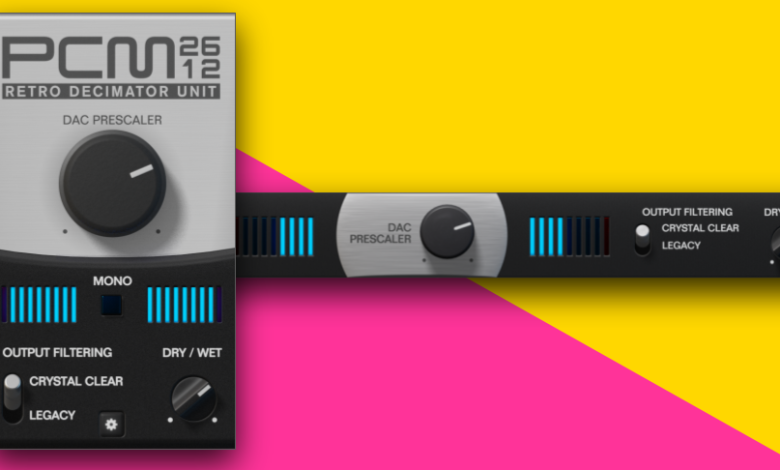
If you’re looking to add some vintage or lo-fi vibes to your audio recordings, then bitcrushing may be just the effect you need. Bitcrushing is a process that reduces the resolution of digital audio by reducing the number of bits used to represent it. This results in a sound that is reminiscent of old video games or low-quality MP3s.
While bitcrushing may seem like a complex process, it’s actually quite easy to achieve with the right tools and techniques. In this article, we’ll explore the basics of bitcrushing and provide step-by-step instructions on how to apply this effect to your audio recordings. Whether you’re a musician, podcaster, or sound designer, bitcrushing can add a unique and interesting character to your audio projects. So let’s dive in and learn how to bitcrush like a pro!
Understanding Bitcrunching
Bitcrunching is a technique that is used to reduce the quality of digital audio intentionally. It is often used to create a lo-fi or vintage sound in music production. Bitcrushing can be achieved by reducing the number of bits per sample and lowering the sample rate. The result is a distorted, gritty sound that can add character to a track.
To understand bitcrunching better, it’s helpful to consider the difference between analogue and digital signals. Analogue signals are continuous, meaning they have an infinite number of values between any two points. In contrast, digital signals are discrete and have a finite number of values. Digital audio is sampled at a specific rate, and each sample is assigned a specific value. The number of bits used to represent each sample determines the resolution of the audio.
When bitcrunching audio, the number of bits per sample is reduced, resulting in a loss of resolution. This loss of resolution causes distortion and a reduction in dynamic range. Lowering the sample rate also reduces the frequency range of the audio. The result is a sound that is reminiscent of older digital audio equipment or low-quality MP3s.
Bitcrunching can be applied to any audio source, including vocals, drums, and synths. It’s a versatile technique that can add character and texture to a track. However, it’s important to use bitcrunching sparingly as too much can quickly become overwhelming and unpleasant to the listener.
bitcrunching is a technique that can be used to add character and texture to digital audio. By reducing the number of bits per sample and lowering the sample rate, a lo-fi or vintage sound can be achieved. It’s important to use this technique sparingly and with care to avoid overwhelming the listener.
The Necessity of Bitcrunching
Bitcrushing is an essential technique in the audio production process. It is used to create unique and interesting sounds that can add character and depth to your music. Bitcrushing is a form of distortion that reduces the resolution or bandwidth of digital audio data. The resulting quantization noise can produce a warmer or harsher sound impression, depending on the amount of reduction.
One of the main benefits of bitcrushing is that it can help you achieve a lo-fi sound. This is particularly useful if you are working on a project that requires a vintage or retro feel. Bitcrushing can also be used to create interesting textures and soundscapes that can add depth and complexity to your music.
Another advantage of bitcrushing is that it can help you save space and reduce file sizes. This is particularly useful if you are working on a project with limited storage capacity. By reducing the resolution or bandwidth of your audio data, you can significantly reduce the file size without compromising on quality.
bitcrushing is a powerful tool that can help you achieve unique and interesting sounds in your music. Whether you are looking to create a vintage or retro feel, or you simply want to add some texture and depth to your music, bitcrushing is an essential technique that you should have in your audio production toolkit.
How to Bitcrunch Audio
If you’re looking to add a gritty, lo-fi sound to your audio, then bitcrunching may be just what you need. In this section, we’ll go over the steps you can take to bitcrunch your audio.
Choosing the Right Software
Before you begin, you’ll need to choose the right software for the job. There are many options available, both paid and free. Some popular choices include FL Studio, Audacity, and Ableton Live. Make sure to choose a software that is compatible with your operating system and has the features you need.
Importing Your Audio
Once you have your software, you’ll need to import your audio. This can usually be done by clicking on the “Import” or “Open” button in the software’s menu. Make sure to choose the audio file you want to bitcrunch.
Setting the Bit Depth
The next step is to set the bit depth. This determines the number of bits used to represent each sample in your audio file. The lower the bit depth, the more distorted and lo-fi your audio will sound. Most software will have a bit depth setting that you can adjust.
Applying the Bitcrunch
Finally, it’s time to apply the bitcrunch. This can usually be done by adding a bitcrushing effect to your audio track. Many software programs have built-in bitcrushing effects, but you can also find free or paid plugins online. Once you’ve added the effect, adjust the settings to your liking. This can include adjusting the bit depth, sample rate, and other parameters.
With these simple steps, you can easily bitcrunch your audio and achieve a gritty, lo-fi sound. Just remember to experiment with different settings and have fun with it!
Common Mistakes in Bitcrunching
Bitcrushing is a popular technique used in music production to achieve a lo-fi or retro sound. However, it is important to avoid certain mistakes to get the best results. Here are some common mistakes to avoid when bitcrunching audio:
Using too many bits
One of the most common mistakes when bitcrunching is using too many bits. While it may seem like using more bits would result in a better sound quality, it can actually have the opposite effect. Using too many bits can result in a sound that is too clean and lacking in character. It is recommended to use anywhere between 4 and 8 bits for the best results.
Overusing bitcrushing
Another mistake is overusing bitcrushing. While it can be tempting to apply the effect to every track in a mix, it can quickly become overwhelming and result in a messy and unbalanced sound. Bitcrushing works best when used sparingly and strategically. Consider using it on specific elements such as drums or synths to add character and texture.
Not considering the source material
Bitcrushing works best on simple sounds such as sine waves or square waves. Complex sounds such as chords or vocals can become distorted and lose their clarity when bitcrushed. It is important to consider the source material before applying the effect to ensure the best results.
Ignoring the bit depth and sample rate
The bit depth and sample rate are crucial when bitcrunching audio. It is important to set the bit depth and sample rate correctly to achieve the desired effect. A lower bit depth and sample rate will result in a more lo-fi sound, while a higher bit depth and sample rate will result in a cleaner sound. Experiment with different settings to find the right balance for your mix.
bitcrunching is a powerful tool for adding character and texture to your tracks. However, it is important to avoid common mistakes to achieve the best results. Use it sparingly, consider the source material, and pay attention to the bit depth and sample rate for the best results.
Advanced Bitcrunching Techniques
Once you’ve got the basics of bitcrushing down, it’s time to explore some advanced techniques to take your audio to the next level. Here are a few tips to try out:
1. Layering Bitcrushed Audio
One way to add depth and complexity to your bitcrushed audio is to layer multiple instances of it. Try using different bit depths or sample rates for each layer, and experiment with panning and volume to create a unique stereo image. You can also try layering bitcrushed audio with unprocessed audio for a contrast in texture.
2. Automating Bitcrusher Parameters
Automating the parameters of your bitcrusher plugin can add movement and interest to your audio. Try automating the bit depth or sample rate over time to create a sweeping effect, or automate the mix knob to blend between the original and bitcrushed audio.
3. Using Bitcrushing in Parallel Processing
Parallel processing involves blending a processed signal with the original signal to create a hybrid sound. Try using bitcrushing in parallel with other effects like distortion or reverb to create unique textures and tones.
4. Bitcrushing Specific Frequency Ranges
Instead of bitcrushing the entire audio signal, try applying the effect to specific frequency ranges. This can be done using EQ to isolate certain frequencies, then applying the bitcrusher only to those frequencies. This can create interesting textures and add movement to specific parts of the audio.
Remember to always use your ears and trust your instincts when experimenting with advanced bitcrushing techniques. Don’t be afraid to break the rules and try something new!
Conclusion
bitcrushing can be a fun and creative way to add a unique touch to your audio projects. By reducing the bit depth and sample rate, you can achieve a lo-fi, vintage sound that can be perfect for certain genres of music or sound effects.
However, it’s important to keep in mind that bitcrushing can also result in a loss of clarity and detail, especially with complex sounds. Therefore, it’s important to use it strategically and with intention.
When bitcrushing, it’s also important to experiment with different settings and effects to find the right sound for your project. You can try adjusting the bit depth, sample rate, and other parameters to achieve different levels of distortion and texture.
bitcrushing is a great tool to add to your audio production arsenal. With a little experimentation and creativity, you can use it to add a unique and memorable touch to your projects.


