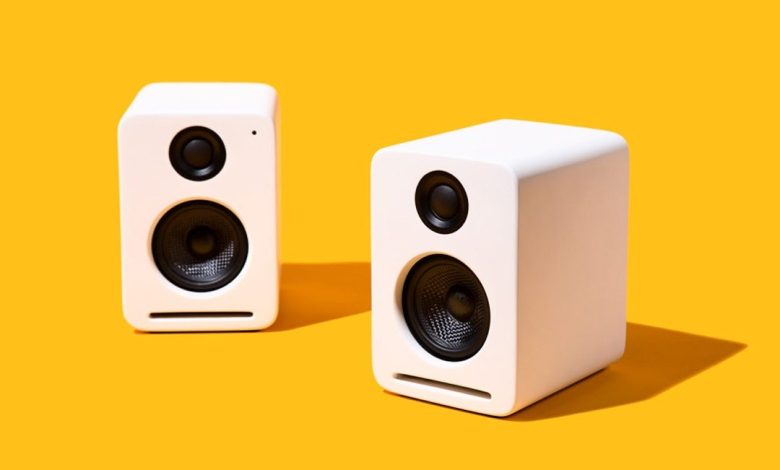
Are you having trouble with your speakers? Do you suspect that they might not be working correctly? Testing your speakers is an essential step in diagnosing and fixing any issues you might be experiencing. In this article, we’ll go over some simple and effective ways to test your speakers and make sure they’re working correctly.
One of the easiest ways to test your speakers is by using a simple battery. By connecting a 9-volt battery to the leads of your speaker, you can check if it’s still functioning correctly. If a pulse is generated in the speaker, then it’s still working correctly. This same practice would apply to the tweeter speaker as well. We’ll go over this method in more detail later on in the article.
Testing your speakers is crucial for ensuring that you’re getting the best sound quality possible. Whether you’re a music lover, a gamer, or just someone who enjoys watching movies, having good quality speakers is essential. By following the tips and techniques we’ll be discussing in this article, you’ll be able to diagnose and fix any issues you might be having with your speakers quickly and easily.
Understanding Speakers
Speakers are a crucial component of any audio system. They convert the electrical signal from an amplifier into sound waves that we can hear. Understanding the specifications of speakers can help you make an informed decision when purchasing a new set of speakers or troubleshooting issues with your existing ones.
Speaker Specifications
When it comes to speaker specifications, there are several key factors to consider:
- Frequency response: This refers to the range of frequencies that the speaker can reproduce. The wider the range, the more accurate the sound reproduction will be.
- Sensitivity: This measures how loud the speaker can get with a given amount of power. Higher sensitivity speakers require less power to produce the same volume as lower sensitivity speakers.
- Impedance: This measures the resistance of the speaker to the electrical signal from the amplifier. It is important to match the impedance of the speaker to the amplifier to avoid damaging either component.
- Power handling: This refers to the amount of power that the speaker can handle without being damaged.
Stereo Speakers
Stereo speakers are designed to reproduce both left and right channels of a stereo signal. They are typically sold in pairs and should be placed at equal distances from the listener for optimal sound quality.
Testing Speakers
If you suspect that your speakers are not working properly, there are several ways to test them. One simple method is to use a 9V battery to check if the speaker is producing any sound. Touch the positive side of the battery to the positive side of the speaker and the negative to the negative. Only touch the battery to the terminals for a quick moment. It is best to use a partially discharged battery.
Another method is to use a sound test tool on your computer or mobile device. You can play a sound through each speaker individually to check if they are working properly.
understanding the specifications of your speakers can help you make informed decisions when purchasing or troubleshooting issues. Testing your speakers regularly can ensure that they are working properly and producing high-quality sound.
Initial Checks
Before testing your speakers, there are a few initial checks you should perform to ensure everything is set up correctly.
First, make sure your device is properly connected to the speakers. Check the connections and ensure they are secure. If you are using a computer, check your audio settings to make sure the correct output device is selected as the default output.
Next, check the volume control on both your device and speakers. Make sure the volume is not set too high as this can damage your speakers. It’s also important to check that the power is on and that the speakers are receiving power.
Once you have confirmed these initial checks, you can proceed with testing your speakers.
Testing Speaker Functionality
When it comes to testing speaker functionality, there are a few methods you can use to determine whether your speakers are working properly. In this section, we’ll cover two common tests: the battery test and the multimeter test.
Using a Battery Test
One simple way to test your speakers is with a battery test. For this test, you’ll need a 9-volt battery, some speaker wire, and a speaker. Here’s how to do it:
- Disconnect the speaker from your sound system and remove any wires that are connected to it.
- Connect one end of the speaker wire to the positive terminal of the battery and the other end to the positive terminal of the speaker.
- Connect a second piece of wire to the negative terminal of the battery and the other end to the negative terminal of the speaker.
- Touch the ends of the second piece of wire to the negative terminal of the battery for a quick moment.
- If the speaker is working properly, you should hear a popping sound.
It’s important to note that you should only touch the battery to the terminals for a quick moment. Also, it’s best to use a partially discharged battery, such as a household AA or AAA battery.
Using a Multimeter Test
Another way to test your speakers is with a multimeter. This method is a bit more complex, but it can give you more detailed information about the speaker’s resistance and other properties. Here’s how to do it:
- Disconnect the speaker from your sound system and remove any wires that are connected to it.
- Set your multimeter to the resistance setting.
- Connect the red probe to the positive terminal of the speaker and the black probe to the negative terminal of the speaker.
- Read the resistance value on the multimeter. A typical speaker will have a resistance of 4-8 ohms.
If you’re not sure how to use a multimeter, it’s a good idea to consult the user manual or look up some tutorials online.
these two tests can help you determine whether your speakers are working properly. If you’re still having issues, it may be time to consult a professional or replace your speakers altogether.
Troubleshooting Speaker Issues
If you’re experiencing issues with your speakers, there are a few things you can do to troubleshoot the problem. Here are some steps you can take to help identify and fix the issue.
Checking Audio Drivers
One common cause of speaker issues is outdated or missing audio drivers. To check your audio drivers, go to your computer manufacturer’s website and search for the latest drivers for your sound card. Download and install the latest drivers, and then restart your computer to see if that resolves the issue.
Examining Speaker Cables
Loose or damaged speaker cables can also cause issues with your speakers. Check to make sure that all cables are securely connected to your computer and to your speakers. If you notice any damage to the cables, replace them with new ones.
Testing with Headphones
If you’re still experiencing issues with your speakers, try testing them with headphones. Plug your headphones into your computer’s headphone jack and play some audio. If the audio plays through your headphones without any issues, then the problem may be with your speakers.
To test your internal speakers, go to your computer’s control panel and navigate to the sound settings. Look for the option to test your speakers and click the test button. If you hear audio, then your internal speakers are functioning properly. If you don’t hear anything, then there may be an issue with your computer’s sound card or drivers.
By following these troubleshooting steps, you can help identify and resolve issues with your speakers. If you’re still experiencing issues, it may be time to contact a professional for further assistance.
Specific Speaker Tests
When testing speakers, it’s important to ensure that each individual speaker is functioning properly. Here are some specific tests you can perform for each speaker in your system.
Testing Left Speaker
To test your left speaker, you can use a variety of methods. One simple method is to play a test tone that is only present in the left channel and ensure that it is audible from the left speaker. You can also play music or a movie and ensure that the sound is coming from the left side.
Another method is to use a mic test and speak into the mic while standing in front of the left speaker. You should hear your voice coming from the left speaker only.
Testing Right Speaker
Testing the right speaker is similar to testing the left speaker. You can use the same methods as above, but ensure that the sound is coming from the right side.
Testing Subwoofer
To test your subwoofer, you can play a bass-heavy song or movie and ensure that the subwoofer is producing sound. You can also use a tone generator to ensure that the subwoofer is producing sound at the correct frequencies.
Another method is to use a web browser and play a test tone specifically designed for subwoofers. This will help you ensure that the subwoofer is producing sound at the correct levels.
Playback Device and Audio Devices
It’s important to ensure that your playback device and audio devices are working properly as well. You can test your playback device by playing music or a movie and ensuring that the sound is coming from the correct speakers.
You can test your audio devices by ensuring that they are properly connected and that the sound is coming through them. You can also use a mic test to ensure that your audio devices are picking up sound properly.
Green Jack
The green jack on your computer is used for audio output. To test the green jack, you can plug in a pair of headphones or speakers and ensure that the sound is coming through them properly.
Conclusion
By performing these specific tests, you can ensure that each individual speaker in your system is functioning properly. This will help you get the most out of your audio system and ensure that you are getting the best possible sound quality.
Identifying Defective Speakers
If you suspect that one or more of your speakers may be defective, there are a few simple tests you can perform to confirm your suspicions. Here are some tips to help you identify defective speakers:
Test the Speaker Connections
Before you start testing the speaker itself, it’s important to make sure that the speaker connections are secure and properly connected to the receiver. Loose or faulty connections can cause sound issues or even damage the speaker. Check the connections and tighten any loose screws or connectors.
Check the Frequency Response
If you notice that a speaker is producing distorted or muffled sound, it may be due to an issue with its frequency response. You can use a tone generator or a frequency sweep test to check the speaker’s frequency response. If the speaker is not responding to certain frequencies, it may indicate a problem with the speaker’s cone or voice coil.
Use a Multimeter
A multimeter can be used to check the impedance of the speaker. If the speaker has a significantly different impedance than what is specified by the manufacturer, it may be defective. You can also use a multimeter to check the continuity of the speaker’s voice coil. If there is no continuity, it may indicate a damaged voice coil.
Perform a Battery Test
A battery test can help you identify if a speaker is defective or not. Simply touch the positive and negative terminals of a 9V battery to the speaker’s positive and negative terminals respectively. If the speaker produces a popping sound, it’s likely that the speaker is functioning properly. If there is no sound, it may indicate a defective speaker.
By performing these simple tests, you can easily identify if a speaker is defective or not. If you do find a defective speaker, it’s important to replace it as soon as possible to prevent any further damage to your audio system.