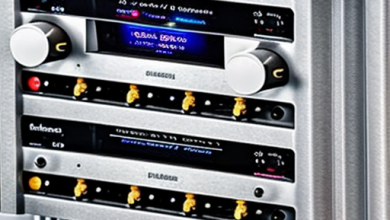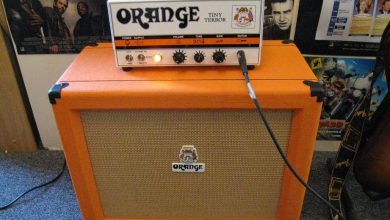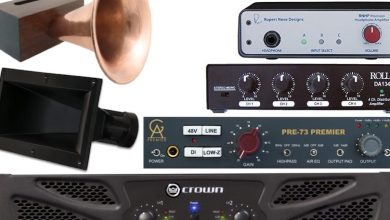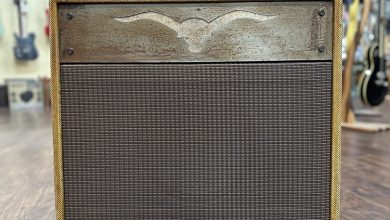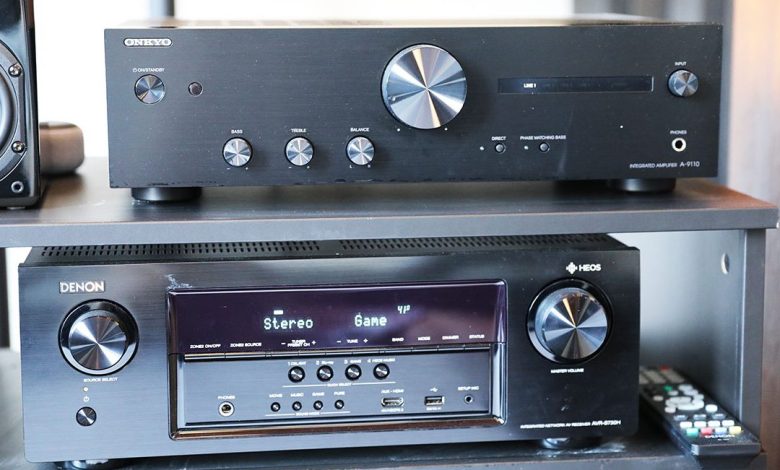
Connecting an amplifier to your audio system can seem like a daunting task, especially if you’re not familiar with the different components involved. But with the right guidance, it can be a straightforward process that will enhance your listening experience. In this article, we’ll guide you through the steps to hook up an amp, whether you’re connecting it to a home theater receiver, preamp, or factory stereo.
Before we dive into the specifics of connecting your amplifier, it’s important to understand the basic components involved. An amplifier is a device that takes a low-level audio signal and boosts it to a higher level, so it can be played through speakers. It’s typically used in conjunction with a preamp or receiver, which is responsible for selecting and controlling the audio sources, such as a CD player or streaming device. The speakers are the final piece of the puzzle, converting the amplified audio signal into sound that can be heard. Understanding the role of each component is crucial to ensuring they’re connected correctly.
Once you have a good understanding of the different components, it’s time to connect them. The process will vary depending on the type of system you have, but generally involves connecting the amp’s input to the preamp or receiver’s output, and the amp’s output to the speakers. You’ll also need to ensure that the power and ground wiring is connected correctly, and that the amp is turned on and properly configured. By following these steps, you’ll be able to enjoy high-quality audio from your system.
Understanding the Basics
Hooking up an amp may seem intimidating at first, but it’s actually a straightforward process. In this section, we’ll cover the basics of how to hook up an amplifier to get you started.
First, let’s talk about amplifiers. An amplifier is a device that boosts the power of an audio signal. It takes a small signal from a source, such as a guitar or a phone, and increases its volume so that it can be heard through speakers. Amplifiers come in many different types, including car amplifiers, bass amplifiers, and 4 channel amps.
When setting up an amplifier, it’s important to pay attention to power. Amplifiers require power to function, and it’s important to make sure that your amplifier is getting the right amount of power. Check the specifications of your amplifier to see how much power it requires, and make sure that your power source can provide that amount of power.
Another important aspect of setting up an amplifier is tone. Amplifiers have controls for adjusting the tone of the audio signal, such as bass, treble, and gain. These controls can be used to fine-tune the sound to your liking.
When hooking up an amplifier, it’s important to pay attention to the input and output connections. Most amplifiers have RCA inputs for connecting to a source, such as a phone or a CD player. They also have speaker outputs for connecting to speakers. Make sure that you connect the input and output connections correctly to avoid damaging your amplifier or your speakers.
setting up an amplifier involves paying attention to power, tone, and input/output connections. By following these basic principles, you can hook up an amplifier and enjoy your music at the desired volume and tone.
Choosing Your Equipment
When it comes to hooking up an amp, choosing the right equipment is crucial. Here are some factors to consider when selecting your equipment:
Power Amp
The power amp is the heart of your audio system. It amplifies the signal from your preamp and sends it to your speakers. When choosing a power amp, consider the following:
- Wattage: Make sure the amp’s wattage matches your speakers’ power handling capacity.
- Impedance: Ensure the amp’s impedance matches your speakers’ impedance.
- Number of channels: Determine how many channels you need for your setup.
Preamp
The preamp provides the signal to the power amp. It’s important to choose a preamp that works well with your power amp. Consider the following:
- Compatibility: Stick within one brand’s range if possible, as they will have been tuned to work well together.
- Mix and match: If you plan to mix and match, be aware that some pairings will work better together than others.
Subwoofer
A subwoofer adds depth and richness to your audio system. When selecting a subwoofer, consider the following:
- Size: Choose a size that fits your space and complements your speakers.
- Power handling: Ensure the sub’s power handling capacity matches your amp’s output.
- Enclosure type: Determine the type of enclosure that works best for your setup.
Wiring
Wiring is an essential part of your audio system. Consider the following when selecting wiring:
- Speaker wires: Choose wires that match your speakers’ impedance and power handling capacity.
- RCA cables: Ensure the cables are high-quality and shielded to prevent interference.
- Wiring kit: Select a wiring kit that matches your amp’s wattage and includes all necessary components.
Other Equipment
Other equipment you may need includes:
- Crossover: Used to split the audio signal between the different speakers in your system.
- Line output converter: Converts a speaker-level audio signal to a line-level signal.
- Speaker level inputs: Used to connect your amp to a factory stereo or radio.
- Power supply: Provides power to your amp.
- Inline fuse: Protects your amp from power surges.
- Remote turn-on wire: Used to turn your amp on and off.
- Signal wiring: Used to connect your preamp and power amp.
- Speaker polarity: Ensures your speakers are in phase.
- Line level converter: Converts a line-level audio signal to a speaker-level signal.
When selecting your equipment, it’s important to consider your specific needs and preferences. Don’t hesitate to reach out to tech support or consult with a professional if you have any questions or concerns.
Installation Process
Installing an amplifier in your car can be a straightforward process, but it requires some knowledge and the right tools to do it correctly. Before starting the installation process, make sure you have all the necessary tools and equipment, such as a power supply, wiring harness, fuse, rubber grommet, mounting screws, wire stripper, and electrical tape.
The first step is to find a suitable location to mount the amplifier. The best place to mount the amp is in the trunk, near the rear speakers. This location will minimize the length of the signal wiring, speaker wiring, and power cable, which will help reduce the risk of interference and noise.
Next, connect the power and ground wires to the amplifier. The ground wire must be connected to a bare metal surface on the chassis of the car. Make sure the ground connection is secure and tight to avoid any grounding issues. Use a wire stripper to remove the insulation from the power wire and connect it to the positive terminal (+) of the battery. Always use a fused connection to prevent any electrical damage or fire hazards.
To avoid any sound quality problems, it is essential to connect the speaker wires correctly. Connect the speaker-level inputs to the radio’s speaker terminals, and make sure you twist the wires together to avoid any interference. Check the speaker polarity to ensure that the speakers are in phase. You can use a line level converter to convert the speaker-level inputs to line-level signals.
Finally, connect the remote turn-on wire to the ignition switch, which will turn the amplifier on and off with the car’s ignition. Double-check all the connections and use color-coded wires to avoid any confusion. Use electrical tape to secure the connections and protect them from any damage.
If you are installing multiple amplifiers, make sure you have enough power supply and ground connections to handle the additional electrical current. It is also advisable to consult tech support or a professional installer to ensure that the installation is safe and correct.
the installation process of an amplifier in your car requires some knowledge and the right tools. Make sure you follow the instructions carefully, use the appropriate wiring, and double-check all the connections. With the right installation, you can enjoy a better audio output and sound quality in your car.
Troubleshooting Common Issues
Even when you’ve hooked up your amp properly, there might still be some issues that arise. Here are some common problems and their solutions:
No Sound or Distortion
If you’re not getting any sound or the sound is distorted, there could be a few reasons why. First, check your fuse. If it’s blown, replace it with a new one. If that doesn’t work, check your voltage. Your amp needs a sufficient electrical current to function properly. Make sure your ground connection is secure, and check your speaker-level inputs. If you’re using a factory radio, you may need a line output converter. If you’re using speaker-level inputs, make sure they’re wired correctly. If you’re using an RCA jack, make sure it’s plugged in properly.
Amp Won’t Turn On
If your amp won’t turn on, there could be a few reasons why. First, check your fuse. If it’s blown, replace it with a new one. If that doesn’t work, check your remote turn-on wire. Make sure it’s connected to the right wire on your wiring harness. If that doesn’t work, check your power and ground wires. Make sure they’re connected properly and not damaged. If you’re still having issues, check your ignition switch.
Poor Sound Quality
If you’re experiencing poor sound quality, there could be a few reasons why. First, check your speaker polarity. Make sure your positive and negative terminals are connected correctly. If that doesn’t work, check your gain levels. Make sure they’re set correctly. If you’re still having issues, check your speaker impedance. Make sure it matches your amp’s specifications.
Multiple Amplifiers
If you’re running multiple amplifiers, there are a few things to keep in mind. First, make sure you have a power supply that can handle the load. Use a wiring kit that’s designed for multiple amps. Make sure your power cable is fused and that you have a remote wire for each amp. Make sure your ground wire is connected to a solid ground point. If you’re still having issues, try using a line level converter.
Latest Tech News
Stay up to date with the latest tech news to make sure you’re getting the most out of your amp setup. Keep an eye out for new products and technologies that can improve your sound quality. If you’re having issues, don’t hesitate to contact tech support for help.
Maintaining Your Amp Setup
Once you’ve successfully set up your amp, it’s important to maintain it properly to ensure that it continues to function optimally. Here are some tips for maintaining your amp setup:
Power and Ground Connections
Make sure that your power and ground connections are secure and free of any corrosion. Loose or corroded connections can cause power issues or even damage your amp. Check your connections regularly and clean them as needed.
Speaker Wires
Check your speaker wires for any signs of wear or damage. Replace any damaged wires to ensure that you’re getting the best possible sound quality. You can also use color-coded wires to make it easier to identify which wire goes to which speaker.
Gain and Volume Levels
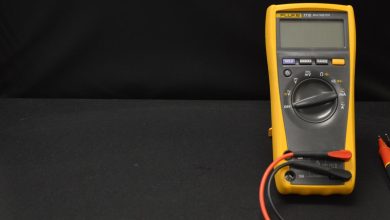
Be careful not to set your gain and volume levels too high, as this can cause distortion and damage your speakers. Use a multimeter to check your gain levels and adjust them as necessary. It’s also a good idea to keep your volume levels at a reasonable level to prevent hearing damage.
Wiring
Check your wiring regularly to ensure that it’s in good condition and properly connected. Use high-quality wiring and make sure that your wires are properly insulated to prevent any electrical issues.
Crossover and Tone Controls
Adjust your crossover and tone controls to get the best possible sound quality. Use a sound meter to help you set your crossover points and adjust your tone controls to get the sound you want.
Fuses
Make sure that your fuses are in good condition and properly rated for your amp. Replace any blown fuses with the same type and rating to prevent any damage to your amp.
Tech Support
If you’re having any issues with your amp setup, don’t hesitate to contact tech support for assistance. They can help you troubleshoot any issues and provide guidance on maintaining your amp setup.
By following these tips, you can maintain your amp setup and ensure that you’re getting the best possible sound quality from your music.