GarageBand is a popular digital audio workstation (DAW) that many musicians and producers use to create music. One of the standout features of GarageBand is the inclusion of royalty-free loops and samples. But what does it mean for a sample to be royalty-free, and are all GarageBand samples truly royalty-free?
In short, a royalty-free sample is one that can be used without any additional payment or legal obligation to the original creator. This means that once you purchase or download a royalty-free sample, you are free to use it in your own music without having to pay any royalties or licensing fees. However, it’s important to note that not all GarageBand samples are created equal when it comes to royalty-free use. While some samples are completely royalty-free, others may have certain restrictions or limitations on their use.
Understanding GarageBand
GarageBand is a digital audio workstation (DAW) developed by Apple Inc. It is a powerful tool for creating music and audio projects, and it comes pre-installed on all Apple devices. With GarageBand, users can record and edit audio, create virtual instruments, and add various effects to their projects.
One of the key features of GarageBand is its extensive library of royalty-free loops and samples. These loops and samples can be used by anyone to create their own original music compositions or audio projects without worrying about copyright infringement.
GarageBand’s loops and samples are organized into different categories, such as drums, bass, guitar, synth, and more. Users can search for loops and samples by keyword, tempo, and instrument, making it easy to find the perfect sound for their project.
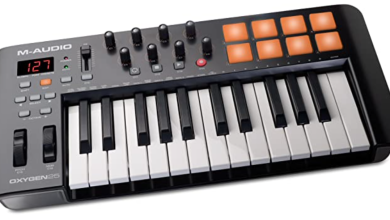
In addition to loops and samples, GarageBand also includes a variety of virtual instruments, such as pianos, guitars, drums, and more. These instruments can be played using a computer keyboard or a MIDI controller, and users can customize their sound using various effects and settings.
GarageBand is a versatile and user-friendly DAW that offers a wide range of features for creating music and audio projects. Its extensive library of royalty-free loops and samples makes it easy for anyone to get started with music production, regardless of their skill level or experience.
What Are Royalty-Free Samples?
If you’re a music producer, you’ve probably heard the term “royalty-free samples” before. But what exactly does it mean? Simply put, royalty-free samples are audio clips or loops that can be used in music production without the need to pay royalties or licensing fees.
When you use a royalty-free sample, you have the right to use that sample in your own music without owing any additional money to the original creator or copyright holder. This can be incredibly helpful for producers who want to create high-quality music without breaking the bank.
It’s important to note that just because a sample is royalty-free doesn’t mean it’s free to download or use. You may still need to purchase the sample pack or license the individual sample in order to legally use it in your music. However, once you’ve paid for the sample, you can use it in your music without any further financial obligations.
Additionally, it’s important to read the terms and conditions of any sample pack or individual sample you download to ensure that it is, in fact, royalty-free. Some samples may have restrictions on how they can be used, or may require attribution to the original creator.
royalty-free samples are a valuable resource for music producers looking to create high-quality music without breaking the bank. Just be sure to read the terms and conditions of any samples you download to ensure that they are truly royalty-free.
Are GarageBand Samples Royalty-Free?
GarageBand is a popular digital audio workstation (DAW) developed by Apple Inc. It is widely used by musicians, composers, and producers to create music and audio projects. One of the key features of GarageBand is its vast library of royalty-free loops and samples.
So, are GarageBand samples royalty-free? The answer is yes. Apple provides the loops and samples royalty-free, which means that you can use them in your music compositions or audio projects without any additional cost or legal restrictions.
GarageBand comes with a diverse range of loops and samples that cover various genres and styles, including rock, pop, hip-hop, electronic, and more. You can use these loops and samples to create drum beats, basslines, melodies, and other musical elements for your projects.
In addition to the built-in loops and samples, GarageBand also allows you to import your own audio files and use them in your projects. However, it is important to note that you should only use audio files that you have the legal right to use, such as those that you have created yourself or that are licensed under a Creative Commons license.
GarageBand samples are royalty-free, which makes them a great resource for musicians and producers who want to create music and audio projects without breaking the bank or worrying about legal issues.
Pros and Cons of Using GarageBand Samples
GarageBand is a popular digital audio workstation that comes with a variety of built-in loops and samples. While using these samples can be a convenient way to create music quickly, there are both pros and cons to consider.
Pros
-
Convenient: GarageBand samples are built into the software, which means they are easy to access and use. This can save time and effort when creating music.
-
Royalty-free: According to the GarageBand software license agreement, the built-in loops and samples are royalty-free. This means that you can use them in commercial projects without having to pay any additional fees.
-
Variety: GarageBand comes with a wide variety of loops and samples, covering many different genres and styles. This means that you can find the right sound for your project without having to search for samples elsewhere.
Cons
-
Limited customization: While the built-in samples are convenient, they may not be ideal for every project. If you want to create a completely original sound, you may need to create your own samples or find additional samples elsewhere.
-
Overuse: Since GarageBand samples are easy to access and use, they may be overused in music production. This can lead to a lack of originality in your music.
-
Not unique: Since GarageBand samples are built into the software, they are available to all GarageBand users. This means that your music may sound similar to other GarageBand-produced music.
using GarageBand samples can be a convenient way to create music quickly, but it may not be ideal for every project. Consider the pros and cons carefully before deciding whether to use them in your music production.
Legal Aspects of Using GarageBand Samples
GarageBand is a popular digital audio workstation that allows users to create music and audio projects using a wide range of pre-installed loops and samples. But, the question that often arises is whether these samples are royalty-free or not.
According to the GarageBand software license agreement, users can use the Apple and third-party audio loop content included in the software on a royalty-free basis to create original music compositions or audio projects. This means that you can use the loops and samples provided by GarageBand in your commercial projects without worrying about any legal issues.
However, it is important to note that you cannot resell or distribute the loops and samples as a standalone product. You can only use them as part of your own original compositions or audio projects.
If you want to use third-party loops and samples in your GarageBand projects, you need to make sure that they are also royalty-free. There are many websites that offer royalty-free loops and samples that you can use in your projects without any legal issues. Some popular websites include Splice, Sounds, and LoopCloud.
GarageBand samples are royalty-free, and you can use them in your commercial projects without any legal issues. However, you need to make sure that you do not resell or distribute them as a standalone product, and if you want to use third-party loops and samples, you need to make sure that they are also royalty-free.
How to Use GarageBand Samples
GarageBand offers a vast library of samples that can be used in your music productions. But the question that arises is whether these samples are royalty-free or not. The good news is that GarageBand samples are royalty-free, which means you can use them in your commercial projects without any legal issues.
Here are some tips on how to use GarageBand samples effectively:
1. Browse and Preview Samples
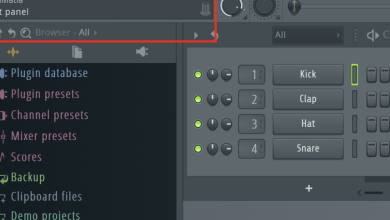
GarageBand offers a wide variety of samples ranging from drums, bass, guitar, synths, and more. You can browse and preview these samples by clicking on the “Loop Browser” button in the GarageBand interface. Once you find a sample that you like, simply drag and drop it into your project.
2. Edit and Customize Samples
GarageBand allows you to edit and customize the samples to fit your music project. You can change the tempo, pitch, and even add effects to the samples. To edit a sample, simply click on the sample in the timeline and select the “Edit” button.
3. Use Third-Party Samples
Although GarageBand offers a vast library of samples, you may want to use third-party samples to add more variety to your music project. You can import third-party samples into GarageBand by clicking on the “Media Browser” button and selecting the folder containing the samples.
4. Understand Copyright Laws
While GarageBand samples are royalty-free, it’s essential to understand copyright laws when using third-party samples. Make sure to read the license agreement of the samples you use and ensure that you have the legal right to use them in your music project.
GarageBand samples are a great way to add depth and variety to your music productions. By following these tips, you can use GarageBand samples effectively and legally in your commercial projects.
Alternatives to GarageBand for Royalty-Free Samples
While GarageBand is a popular choice for creating music, it’s important to note that not all of its samples are royalty-free. If you’re looking for alternatives to GarageBand that offer royalty-free samples, here are a few options to consider:
1. Cakewalk by BandLab
Cakewalk by BandLab is a free DAW for Windows that offers a wide range of royalty-free samples. These samples cover a variety of genres, including rock, hip-hop, and electronic music. The software also includes a virtual drum kit and a range of virtual instruments, making it a great choice for those who want to create their own music from scratch.
2. Audacity
Audacity is a free, open-source audio editor that’s available for Windows, macOS, and Linux. While it doesn’t offer as many features as GarageBand, it does offer a wide range of royalty-free samples that you can use in your music. The software also supports a range of audio formats, making it a great choice for those who want to work with different types of audio files.
3. LMMS
LMMS is a free, open-source DAW that’s available for Windows, macOS, and Linux. The software includes a range of royalty-free samples, as well as a variety of virtual instruments and effects. LMMS also supports a range of audio formats, making it a great choice for those who want to work with different types of audio files.
4. FL Studio
FL Studio is a popular DAW that’s available for Windows and macOS. While it’s not free, it does offer a wide range of royalty-free samples that you can use in your music. The software also includes a range of virtual instruments and effects, making it a great choice for those who want to create their own music from scratch.
there are plenty of alternatives to GarageBand that offer royalty-free samples. Whether you’re a Windows or macOS user, there’s a DAW out there that can help you create the music you want without worrying about copyright issues.
Conclusion
GarageBand is a fantastic tool for music creators and producers. One of the best features of GarageBand is the availability of royalty-free loops and samples. This means that you can use these loops and samples in your music compositions without worrying about any legal issues.
The use of royalty-free loops and samples in GarageBand is clearly stated in the software’s terms and conditions. These loops and samples are available for use in commercial projects as well, making it a great choice for professional music production.
However, it is important to note that not all loops and samples in GarageBand are royalty-free. Some of them may require additional licensing or clearance before use in commercial projects. Therefore, it is always best to double-check the terms and conditions of each loop and sample before using them in your music compositions.
GarageBand is a great choice for music producers who want to create high-quality music compositions without worrying about legal issues. With the availability of royalty-free loops and samples, you can create music that is unique and original without breaking the bank.