

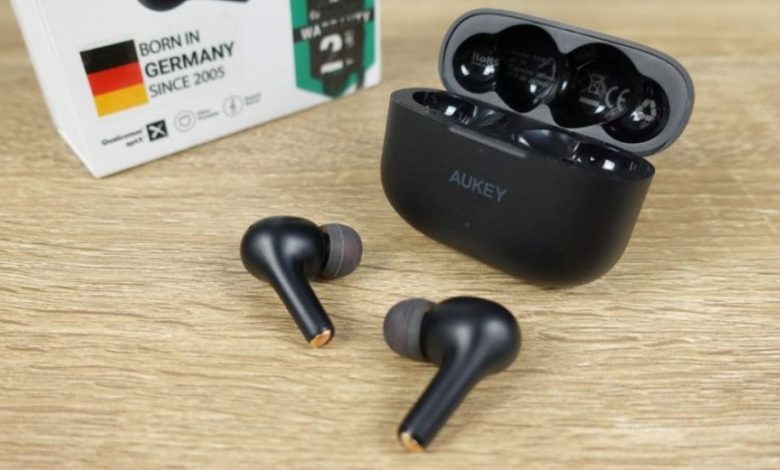
Are you having trouble pairing your Aukey earbuds? Don’t worry, it’s a common issue that can be easily resolved. In this article, we’ll provide step-by-step instructions on how to pair your Aukey earbuds with your device.
First, make sure that your earbuds are fully charged and turned on. Then, press and hold the power button on your earbuds for three seconds to enter Bluetooth pairing mode. You should see a flashing LED light indicating that your earbuds are ready to pair.
Next, go to the Bluetooth settings on your device and search for available devices. Look for “Aukey” or the specific model of your earbuds and select it to connect. Once your earbuds are successfully paired with your device, you should hear a confirmation sound. Congratulations, you’ve successfully paired your Aukey earbuds!
Understanding Aukey Earbuds
Aukey earbuds are true wireless earbuds that offer high-quality sound and a comfortable fit. They come in various models, each with its unique features and specifications. However, all Aukey earbuds share some commonalities that make them easy to use and pair.
Firstly, Aukey earbuds are compatible with most Bluetooth-enabled devices, such as smartphones, tablets, laptops, and smartwatches. This means that you can easily connect them to your device and enjoy your favorite music or podcast without any wires.
Secondly, Aukey earbuds have a multifunction touch panel that allows you to control the playback, volume, and calls. You can tap or press the panel to play, pause, skip tracks, answer or reject calls, and activate your voice assistant.
Thirdly, Aukey earbuds have a long battery life that can last up to 5 hours of continuous playback. Additionally, the charging case can recharge the earbuds up to four times, giving you a total of 20 hours of playtime.
Lastly, Aukey earbuds come with different ear tips and wings that you can use to customize the fit and comfort. This ensures that the earbuds stay in place and provide a noise-isolating seal that enhances the sound quality.
Aukey earbuds are a great choice for anyone looking for wireless earbuds that offer high-quality sound, long battery life, and a comfortable fit. With their easy pairing process and intuitive controls, they are an excellent choice for on-the-go listening.
Preparation Before Pairing
Before you start pairing your Aukey earbuds with your device, there are a few things you need to do to ensure a successful connection. Follow these steps to prepare for pairing:
-
Charge your earbuds: Make sure your earbuds are fully charged before attempting to pair them with your device. You can charge them using the charging case that comes with your earbuds. Simply place the earbuds in the case and close the lid. The charging case should also be charged before use.
-
Check compatibility: Ensure that your device is compatible with your Aukey earbuds. Aukey earbuds are compatible with most Bluetooth-enabled devices, including smartphones, tablets, and computers. However, it’s always best to check the manufacturer’s website for a list of compatible devices.
-
Put earbuds in pairing mode: To pair your earbuds with your device, you need to put them in pairing mode. To do this, press and hold the power button on both earbuds for a few seconds until the LED indicator flashes rapidly.
-
Check Bluetooth settings: Make sure Bluetooth is turned on in your device’s settings. Go to the Bluetooth settings on your device and search for available devices. Your earbuds should appear in the list of available devices.
By following these steps, you’ll be well-prepared to pair your Aukey earbuds with your device. With a little patience and persistence, you’ll be enjoying your favorite tunes in no time!
Pairing Your Aukey Earbuds
Pairing your Aukey earbuds with your device is a quick and easy process. Follow the steps below to get started.
Turning On The Earbuds
To turn on your Aukey earbuds, simply remove them from the charging case. Once they are out of the case, they will automatically turn on and enter pairing mode.
Entering Pairing Mode
If your earbuds don’t automatically enter pairing mode, you can manually put them in pairing mode by pressing and holding the touch-sensitive button on each earbud for 5 seconds until the LED indicator flashes red and blue.
Connecting To Your Device
Once your earbuds are in pairing mode, you can connect them to your device by following these steps:
- Turn on Bluetooth on your device
- Search for available Bluetooth devices
- Select “AUKEY EP-TXX” from the list of available devices
- If prompted, enter the 0000 pairing code
Once you have completed these steps, your Aukey earbuds should be successfully paired with your device. Enjoy your wireless listening experience!
Note: The “XX” in “AUKEY EP-TXX” will vary depending on the specific model of your earbuds. Please refer to your user manual for the correct model number.
Troubleshooting Common Pairing Issues
Earbuds Not Connecting
If your Aukey earbuds are not connecting to your device, try the following troubleshooting steps:
- Make sure your device’s Bluetooth is turned on and in range of the earbuds.
- Check that the earbuds are fully charged.
- Reset the earbuds by placing them back in the charging case and holding down the button on the case until the LED lights turn off.
- Forget the earbuds from your device’s Bluetooth settings and try pairing them again.
If none of these steps work, try resetting both the earbuds and your device’s Bluetooth settings and then try pairing them again.
Earbuds Not Entering Pairing Mode
If your Aukey earbuds are not entering pairing mode, try the following troubleshooting steps:
- Make sure the earbuds are not already connected to another device.
- Reset the earbuds by placing them back in the charging case and holding down the button on the case until the LED lights turn off.
- Make sure the earbuds are fully charged.
- Try pairing the earbuds with a different device to see if the issue is with your original device.
If none of these steps work, contact Aukey customer support for further assistance.
Maintaining Your Aukey Earbuds
When it comes to keeping your Aukey earbuds in top condition, there are a few simple steps you can take to ensure they stay clean and safe. Here are some tips on how to maintain your earbuds:
Cleaning Your Earbuds
Cleaning your earbuds is an essential part of maintaining them. Regular cleaning can help prevent earwax buildup and keep your earbuds free from dirt and debris. Here’s how to clean your Aukey earbuds:
- Use a soft, dry cloth to wipe down the earbuds and charging case.
- For tougher grime or dirt, use a slightly damp cloth or a small amount of rubbing alcohol on a cloth to clean the earbuds.
- Be sure to avoid getting any liquid inside the earbuds or charging case.
Storing Your Earbuds
Storing your earbuds properly can help prevent damage and prolong their lifespan. Here are some tips on how to store your Aukey earbuds:
- Always store your earbuds in their charging case when not in use.
- Keep your earbuds in a cool, dry place to avoid damage from heat or humidity.
- Avoid leaving your earbuds in direct sunlight or extreme temperatures.
- Be sure to keep your earbuds away from water or other liquids.
By following these simple steps, you can help keep your Aukey earbuds in great condition for years to come.
Conclusion
pairing your Aukey earbuds is a simple process that can be done in just a few steps. Whether you have the TWS EP-T21, EP-T10, EP-T31, or EP-N5 ANC earbuds, the process is similar and easy to follow.
To pair your earbuds, make sure they are turned on and in pairing mode. Then, go to your device’s Bluetooth settings and select the Aukey earbuds from the list of available devices. If a code or PIN is required, enter “0000”. Once your device is connected, you can enjoy your favorite music and podcasts without any wires.
It is important to note that different Aukey earbuds have different battery life and charging methods. Refer to the user manual for specific instructions on charging your earbuds and their battery life. Additionally, selecting the right size of ear-tip can improve the listening comfort and overall experience.
If you experience any issues with pairing or connecting your earbuds, try restarting both your device and the earbuds. If the issue persists, refer to the user manual or contact Aukey customer support for assistance.
We hope this guide has helped you pair your Aukey earbuds and enjoy your audio experience. Happy listening!


