

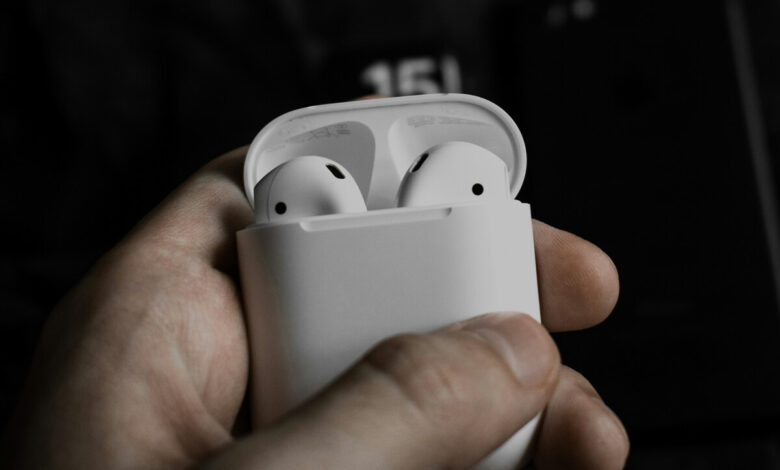
If one earbud shows no charge light while the other one charges normally, the fastest way to find the real cause is to swap the silent bud into the other slot of the case. If it charges there, the fault is that slot's contacts, not the bud. If it still will not charge in either slot, the problem is the bud's own contacts or the bud itself. Doing this one swap before anything else saves you from cleaning, resetting, and contacting support for a fault that a ten-second test would have already pointed to.
First, isolate: is it the bud, the slot, or the case?
Before cleaning or resetting anything, run this test. Take the earbud that will not charge and place it in the case slot the other bud normally uses (swap them both, so each bud sits in the opposite slot). Close the case and wait a minute, then check the indicator lights.
- The problem bud now charges in the other slot: the fault is with that specific slot's contacts or pins, not the bud. Skip to cleaning and pin-checking below.
- The problem bud still will not charge in either slot: the fault is on the bud's side, its own contacts, its battery, or the bud itself.
- Neither bud charges in either slot: the case itself is not delivering power. Check the case's own charge and cable first, below.
This single test decides which of the remaining steps is worth your time, instead of working through all of them.
Confirm the case itself is actually charging
If neither bud is charging, or you have not checked this yet, start here. An earbud case that is not receiving power cannot pass any charge on to the buds inside it, and this is easy to mistake for a bud-side fault.
- Try a different charging cable and a different power source (a wall adapter instead of a laptop USB port, or vice versa). Cables fail more often than the ports they plug into.
- Confirm the case's own indicator light behaves as expected when plugged in. Consult your model's manual for what the light pattern should be, since this varies by brand.
- Leave the case connected for a full 15 to 30 minutes before concluding it will not charge. Some cases with a fully drained internal battery need a short period before they respond at all.
If the case charges normally once you rule these out, move to the bud-and-slot-specific steps.
Clean the charging contacts on the bud and inside the case
Once you know which side, bud or slot, is the actual fault, dirt is the single most common cause on either side. Earwax, sweat, and pocket lint settle on the small metal contacts and physically block the connection.
- Wipe the contacts on the earbud itself with a dry cotton swab.
- Wipe the matching pins inside the case slot the same way.
- For stubborn residue, lightly dampen the swab with 70 percent isopropyl alcohol, then let both the bud and the case dry fully, at least a few minutes, before reseating anything. A wet contact does not conduct a charge properly and can make the fault look worse than it is.
- Never use a metal tool, needle, or anything that could bend or scratch the contacts.
Reseat the bud and give it a real, uninterrupted charge
Sometimes the fault is simply that the bud is not seated deeply enough for the magnets to hold it against the contacts. Remove the bud, look for lint or debris in the slot one more time, and press it firmly into place until you feel or hear it seat. Close the lid fully, since some cases will not deliver power with the lid open, and leave it undisturbed for at least 20 to 30 minutes. Checking every few minutes by opening the lid resets the connection each time and can make a slow charge look like a failed one.
Check for stuck or bent charging pins in the case
The spring-loaded pins inside most cases move slightly inward when pressed and spring back out. If a pin has gotten stuck in the pressed-in position, usually from a small piece of debris jammed behind it, it cannot make proper contact with the bud. Gently press each pin with something soft like a toothpick (never metal) to see if it springs back freely. A pin that stays stuck or feels loose and wobbly rather than springy is a sign of physical damage to that slot, which is a hardware fault the manufacturer, not you, needs to address.
Firmware and a full reset
If cleaning and reseating have not resolved it, some models push firmware updates through a companion app that address known charging bugs. Check for one before resetting. A full reset, typically holding the button on both buds simultaneously for around 30 seconds until the light pattern changes, clears a software-level charging fault without touching anything physical. If your earbuds are AirPods, our guide to why your AirPods case is not charging walks through the brand-specific reset and diagnostic steps. Skullcandy owners can check why Skullcandy earbuds won't charge for model-specific resets.
When to stop troubleshooting
If you have isolated the fault to the bud itself (not the slot, not the case), cleaned both the bud's contacts and confirmed a firm seat, and it still shows no charge after 30 minutes, the realistic conclusion is a failed battery or a broken contact inside the bud, neither of which is user-repairable. A bud that fails suddenly on an otherwise new pair is worth a warranty claim. A bud that has been slow to charge for weeks before failing outright points more toward normal battery aging, and a single replacement bud, where the manufacturer sells one, or a new pair, is the faster path than continued troubleshooting.
If the bud that will not charge is also the one that was already cutting out or crackling before this happened, that may be a related, earlier symptom rather than a new fault. Our guide on crackling or static in one earbud covers that diagnostic separately. And if your earbuds charge fine now but drop the connection during use, that is a different problem with its own fix order: see earbuds that keep disconnecting every few minutes.
Related reading
A bud that will not charge is one of several faults that affect one side only, and they do not share a fix order. If the bud charges but plays quietly, crackles, or drops the connection instead, the headphone and earbud problem map routes each symptom to its own guide.
Frequently asked questions
How do I know if it's the earbud or the case that's broken?
Swap the earbud into the case's other charging slot. If it charges there, the fault is with the original slot's contacts or pins. If it still will not charge in either slot, the fault is with the bud itself.
Why does only one earbud not charge while the other one does?
Usually dirt or debris on that bud's contacts, a bud that is not seated deeply enough in its slot, or a stuck charging pin in that specific slot. It is rarely both buds failing at once, which is why isolating the side first saves time.
Is it safe to clean earbud charging contacts with alcohol?
Yes, in small amounts. Lightly dampen a cotton swab with 70 percent isopropyl alcohol, wipe the contacts, and let everything dry fully, several minutes at minimum, before placing the bud back in the case.
Can a stuck charging pin really stop an earbud from charging?
Yes. The pins inside most cases are spring-loaded and need to move freely to maintain contact with the bud. A pin stuck in the pressed-in position, often from trapped debris, breaks that contact even though the bud and case both look fine.
Should I replace the earbud, the case, or the whole set?
If the case reliably charges the other bud and only one slot is affected, and cleaning the pins does not help, the case itself may need service or replacement rather than the buds. If the fault traces to one bud regardless of slot, many brands sell a single replacement bud, which is often cheaper than buying an entirely new pair.


