If there is no sound from your amplifier but the power light is on, the amp is usually fine and something in the chain around it is not. Work in this order: check the volume, mute and headphone jack; confirm the right input is selected; make sure the speaker outputs (A or B) are switched on; confirm the source is actually sending a signal the amp can play; then test the cables and speakers by swapping them. Only after all of that points back to the amplifier is it time to suspect a fault inside it.
Before you start: two safety rules
- Turn the volume right down before each test. If a fault clears suddenly while the volume is high, the burst of sound can damage speakers or your hearing.
- Switch off and unplug before touching speaker wires. Loose strands across the terminals can short the outputs.
If the amplifier smells hot or burning, shows smoke, or its case is far hotter than normal, stop here. Unplug it at the wall if that is safe to do, keep away from the unit and do not switch it back on. That is a job for a qualified audio repair technician, and the inside of a mains-powered amplifier is not a place for home repairs.
Step 1: Listen closely, because silence has two kinds
Put your ear close to each speaker with the volume at a low to moderate level and no music playing.
- You hear a faint hiss or hum. The amplifier is powered and its output is reaching the speakers. The problem is most likely upstream: the input, the source or the cable between them.
- You hear absolutely nothing, not even a click when switching inputs. The problem is more likely at the output side: speaker switches, speaker wires, the speakers themselves, or the amp’s protection circuit holding the outputs off.
This one observation tells you which half of the list to start from. It is the step most troubleshooting lists skip.
Step 2: Volume, mute and the headphone jack
Rule out the obvious before unplugging anything.
- Check the amp’s volume is not at zero and that mute is off. Some amps show mute only as a small indicator.
- Check the source’s own volume. A phone, TV or streamer turned to zero sends nothing, however high the amp is set.
- Unplug anything from the headphone jack. On many amplifiers, plugging in headphones cuts the speaker outputs automatically. An adapter left in the jack does the same thing.
- Check any balance control is centered, so one side is not turned fully down.
Step 3: Is the right input selected?
Yamaha’s troubleshooting page No sound for the RX-V385 receiver lists this first. The cause is simply that another input source is selected, and the remedy is to “Select an appropriate input source with the input selection keys.”
Walk through the inputs one at a time with the source playing. Receivers often rename inputs, so the jack labeled “AUX” on the back may appear as something else on the display. Also check for buttons that divert the signal:
- a tape monitor or record out button on older stereo amplifiers, which can switch listening to a tape loop with nothing connected,
- a zone setting on AV receivers, which can send audio to a second room instead of the main speakers,
- on some integrated amplifiers, pre-out and main-in jacks linked by jumpers. If the jumpers have been removed and nothing is plugged in their place, the preamp and power amp sections are disconnected. Check your manual before touching these.
Step 4: Are the speaker outputs switched on?
Amplifiers with two sets of speaker terminals have buttons or a menu for Speakers A and Speakers B. If your speakers are wired to B and only A is switched on, you will get silence with every light looking normal. Check which terminals your wires actually go to and switch that output on.
On AV receivers, check that the speaker configuration in the setup menu has not disabled the channels you are listening for.
Step 5: Is the source sending a signal the amp can play?
This is the most common cause with TVs and digital connections, and it is the one that makes people think the amp is broken.
Yamaha’s RX-V385 page names it directly: “Some digital audio formats cannot be played back on the unit. Ensure that the signals are types that the unit is able to play back.” A TV or player sending a surround format the amp does not decode can produce total silence rather than an error.
- On a TV connected by optical or HDMI, set the TV’s audio output to external speakers or an audio system, not its internal speakers.
- Try switching the source’s digital output to PCM. Our guide to bitstream vs PCM explains what that setting changes and when it fixes silence.
- If only some programs are silent, the format is the likely cause. Our explainer on why DTS plays and Dolby is silent, or the reverse covers how to spot a format mismatch.
- If you are using an optical cable, our checklist for no sound over optical applies to amplifiers and receivers just as it does to soundbars.
For analog sources, test with a different device, such as a phone with a simple cable adapter, to prove the input works.
Step 6: Swap the cable between source and amp
Yamaha’s remedy for a faulty connecting cable is short: “If there is no problem with the connection, replace with another cable.” Cables fail internally without any visible damage, especially at the plug ends.
- Swap the interconnect or HDMI cable for one you know works.
- Try a different input on the amp with the same source.
- Reseat every plug firmly. A half-inserted RCA plug can pass hum but no music.
Step 7: Check the speaker wires and the speakers
If only one speaker is silent, or both are and Step 1 told you to look at the output side, move here.
Yamaha’s page No sound is coming from a specific speaker lists the likely causes in order, including that “The currently selected sound program/decoder does not use the speaker,” that “Audio output of the speaker is disabled,” that “The speaker cable connecting the unit and the speaker is defective,” and finally that “The speaker is malfunctioning.” Its remedy for the last one is to test by replacing it with another speaker.
The swap test works like this, with the amp switched off each time you change a connection:
- Swap the left and right speaker wires at the amplifier. If the silence moves to the other speaker, the fault is in the amp channel or the source. If it stays with the same speaker, the fault is in that speaker or its wire.
- Swap the speaker wires at the speaker end, or use a known-good length of wire, to separate a bad wire from a bad speaker.
- Inspect both ends of every wire for broken strands, loose terminals and any strand touching the wrong terminal or the chassis.
If the problem is quiet sound on one side rather than silence, our checklist for headphones that are quiet on one side uses the same swap logic.
Step 8: Is the amplifier in protection mode?
Many amplifiers and receivers have a protection circuit that mutes or shuts down the outputs when it detects a fault, such as a short across the speaker terminals, a speaker load below the amp’s rating, or overheating. Signs include a flashing power light, a message on the display, or a click a few seconds after switching on followed by silence.
If you suspect protection:
- Switch off, unplug, and let the amplifier cool with plenty of space around its vents.
- Disconnect all speaker wires, then check each one for stray strands or damage.
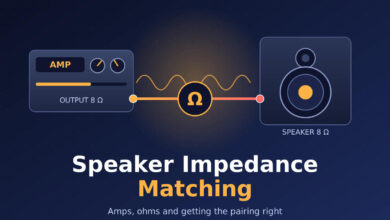
- Check that the speakers’ impedance is at or above the amp’s minimum rating, including any extra speakers connected in parallel.
- Reconnect one speaker at a time at low volume.
Your manual will list what each light or message means for your model. Follow it rather than a general guide.
When it really is the amplifier
After working through the list, the amplifier is the likely fault if:
- it stays silent with a known-good source, a known-good cable and known-good speakers,
- it keeps entering protection with nothing connected to its speaker terminals, or
- it blows fuses repeatedly.
At that point, stop. Contact the manufacturer’s support or a qualified audio repair technician. Do not open the case: an amplifier runs on mains power and contains parts that can hold a charge after it is unplugged, and opening it may also affect any warranty.
Frequently asked questions
Why is my amplifier on but no sound is coming out?
The most common causes are the wrong input selected, the speaker A or B output switched off, headphones plugged in, or a source sending a format the amp cannot play. Work through those before suspecting the amplifier itself.
Why does my amp have no sound from the TV?
Check that the TV’s audio output is set to external speakers or an audio system and that the amp is on the matching input. If some programs play and others are silent, set the TV’s digital audio output to PCM, because the amp may not support the surround format being sent.
How do I know if my amplifier is blown?
Test with a known-good source, cable and pair of speakers. If the amp still produces no sound, stays in protection with the speakers disconnected, or repeatedly blows fuses, it likely has an internal fault and needs a qualified repair technician.
Can a bad speaker cause no sound from both speakers?
A single faulty speaker usually silences only its own channel. A short in a speaker wire, however, can push the amplifier into protection and silence everything. Disconnect all speaker wires and reconnect them one at a time to find it.