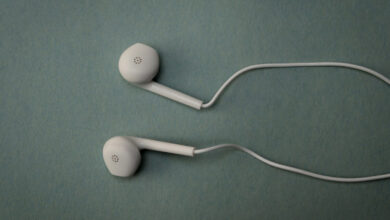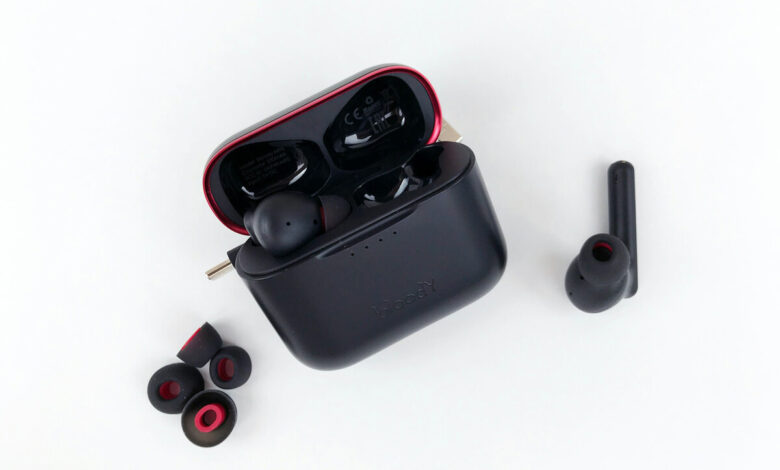
Earbud mesh and silicone ear tips can both be cleaned safely with a soft dry brush for the mesh and mild soap and water for the tips, as long as you keep liquid away from the speaker opening itself and let everything dry fully before reassembling. The two most common mistakes are poking the mesh with something sharp, which can puncture the driver behind it, and reattaching a tip while it is still damp, which can push moisture into the earbud. Get the method right for each part and this takes about five minutes.
What cleaning actually fixes (and what it does not)
Regular cleaning addresses two specific symptoms this cluster covers elsewhere: a mesh clogged with wax or debris is the leading cause of muffled, dull sound that develops gradually, and buildup in the same location can also contribute to crackling in one earbud. Cleaning will not fix a hardware fault, a dead driver, or damage from water that reached the internal electronics. If muffling or crackling persists after a proper clean, the cause is more likely one of those, not dirt.
Cleaning silicone ear tips: soap, water, and full drying
Silicone tips are the easiest part to clean because they can be removed entirely and washed.
- Pull the silicone tip off the earbud nozzle. Most twist or pull free without tools.
- Wash it with a small amount of mild soap and lukewarm water, rubbing gently between your fingers to work out any embedded wax.
- Rinse thoroughly so no soap residue remains.
- Lay the tip on a clean cloth and let it air-dry completely, ideally overnight or at least several hours. A tip that looks dry on the surface can still hold moisture inside the small canal that fits over the nozzle.
- Only reattach the tip once it is fully, completely dry. Pushing a damp tip back onto the nozzle can drive moisture directly into the earbud's speaker opening, working against the entire point of cleaning it.
Foam tips are different: why you should not soak them
If your earbuds use foam tips instead of silicone, do not follow the steps above. Foam is porous and absorbs water rather than shedding it, so soaking a foam tip traps moisture inside material that sits directly against the earbud's speaker opening, which is the opposite of what you want. For foam tips, wipe the outer surface gently with a barely damp cloth, or a dry one, and replace them outright once they have flattened, lost their spring-back, or picked up visible grime that wiping does not remove. Foam tips are consumable in a way silicone tips are not; most manufacturers sell replacement packs specifically because foam wears out faster.
Cleaning the speaker mesh without damaging the driver
The mesh, or grille, sits directly over the driver, and this is the part where the wrong tool causes real damage.
- Inspect the mesh under bright light to see exactly where debris sits.
- Use a soft, dry brush (a clean, unused, soft-bristled toothbrush works well) to sweep debris outward and away from the mesh, not pressing inward.
- For buildup the brush alone will not shift, lightly dampen a cotton swab with 70 percent isopropyl alcohol and gently wipe only the outer surface of the mesh. Do not press the swab into the mesh holes themselves.
- Let the mesh air-dry for a few minutes before using the earbud again.
- Never use a pin, needle, paperclip, or any pointed metal object on the mesh. It is thin, sits directly over a delicate driver, and a single puncture can permanently damage the earbud's sound. Never drip liquid directly into the mesh opening either; controlled, minimal dampness on a swab is different from pouring or spraying anything onto it.
Cleaning the charging contacts while you are at it
Since you already have the earbud in hand, wipe the small metal charging contacts on the bud, and the matching pins inside the charging case, with a dry cotton swab. Dirty contacts do not affect sound quality directly, but they are a common, separate cause of charging problems, and doing this alongside a sound-quality cleaning takes only another minute. If a bud is failing to charge specifically, rather than sounding muffled, our fuller diagnostic on one earbud not charging in the case walks through isolating that fault.
What never to do
A short list worth keeping in mind every time:
- Never use a pin, needle, or any sharp or pointed object on the mesh.
- Never drip or spray liquid directly into the mesh opening or any port on the earbud.
- Never reattach a tip, silicone or foam, while it is still damp.
- Never soak foam tips the way you would silicone ones.
- Never submerge the earbud itself, only removable tips, in water.
If you are unsure whether a specific model can tolerate any moisture at all, or whether it is safe to use the earbud without its mesh in place temporarily, is it safe to use earbuds without the mesh covers that specific question.
How often to do this
There is no universal schedule, since it depends on how often you wear the earbuds and how much you sweat or produce earwax, but a reasonable routine is a quick wipe of the tips and exterior after each use, and a fuller clean, tips washed, mesh brushed, contacts wiped, every two to four weeks for daily use. Earbuds used heavily during exercise will need it more often than a pair used occasionally for calls. Staying ahead of buildup with a light routine is faster than dealing with a fully clogged mesh later, and it is one of the simplest ways to extend how long a pair stays sounding clear. See how long do earbuds last for what realistically shortens or extends an earbud's working life beyond cleaning alone.
Related reading
Cleaning fixes a specific set of problems and does nothing for the rest. If the sound did not improve after a thorough clean, the headphone and earbud problem map covers the other causes and sends each one to the guide that handles it.
Frequently asked questions
Can I wash silicone earbud tips with soap and water?
Yes. Remove them from the earbud, wash with mild soap and lukewarm water, rinse thoroughly, and let them air-dry completely, several hours at minimum, before reattaching. Never reattach a tip while it is still damp.
Is it safe to clean earbud mesh with alcohol?
Yes, in small amounts. Lightly dampen a cotton swab with 70 percent isopropyl alcohol and gently wipe the outer surface of the mesh only. Avoid pressing into the mesh holes, and let it dry for a few minutes before use.
Why shouldn't I soak foam ear tips like silicone ones?
Foam is porous and absorbs water instead of shedding it, so soaking traps moisture inside material sitting directly against the earbud's speaker opening. Wipe foam tips gently instead, and replace them once they have flattened or picked up grime that wiping cannot remove.
Can cleaning the mesh damage my earbuds?
Only if you use the wrong tools. A soft dry brush or a lightly dampened cotton swab is safe. A pin, needle, or anything sharp can puncture the thin mesh and damage the driver directly behind it, so those tools should never touch the mesh.
How often should I clean my earbuds?
A quick wipe after each use, plus a fuller clean of the tips, mesh, and charging contacts every two to four weeks for daily use, is a reasonable routine. Heavier use, especially during exercise, calls for cleaning more often.