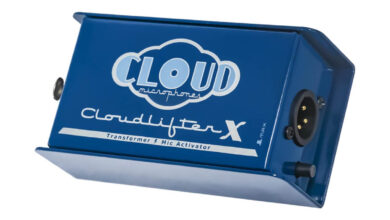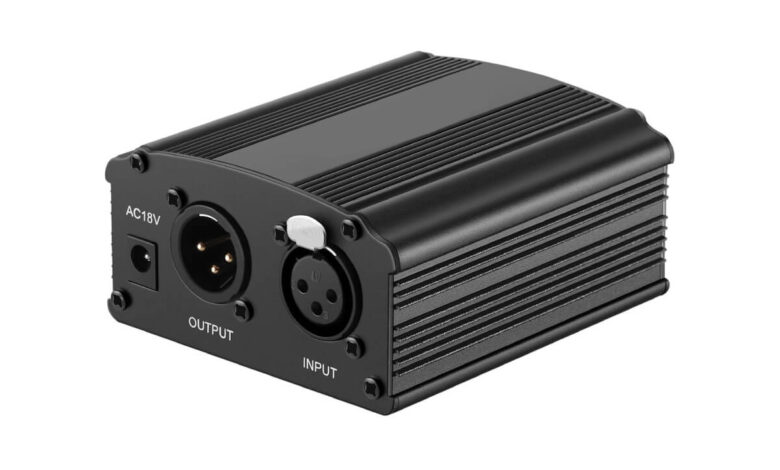
Phantom power (48V) is a direct current sent through a standard XLR microphone cable, on the same two signal pins that carry the audio, to power condenser microphones that cannot generate a signal on their own. It is invisible to the audio path when everything is wired correctly, which is where the “phantom” name comes from. It is also the one setting on an audio interface that can quietly damage the wrong microphone if you flip it on without checking that mic’s manual first.
How 48V Phantom Power Actually Works
A standard XLR cable has three pins: pin 1 is ground/shield, pins 2 and 3 carry the balanced audio signal (identical but inverted copies of the same waveform). Phantom power sends +48 volts DC equally to pins 2 and 3, with pin 1 as the return path. Because the voltage is applied identically to both signal legs, a properly balanced input stage cancels it out and only passes the AC audio riding on top. That is the entire trick: DC for power, AC for sound, sharing one cable without interfering with each other.
The 48V figure is a long-standing convention, not a fixed law of physics. The worldwide phantom power standard, defined in IEC 61938, actually allows a range, and different manufacturers have shipped 12V and 24V variants over the years. But 48V is what almost every modern interface, mixer and mic preamp defaults to, so it is the number worth knowing.
Inside a properly designed dynamic or ribbon mic, transformers or blocking capacitors sit between the phantom voltage and the moving parts, so the DC never reaches the diaphragm or ribbon under normal wiring. That protection is what makes phantom power mostly safe to leave on by default in a mixed setup, with the exceptions below.
What Phantom Power Is Actually Powering
Condenser microphones work on variable capacitance: a thin diaphragm sits close to a fixed backplate, and sound pressure changes the distance between them, which changes capacitance and produces a tiny electrical signal. That signal is too weak and too high-impedance to travel down a cable on its own, so every condenser mic has a built-in impedance-converting preamp. Phantom power does two jobs at once inside that mic: it charges the capacitor capsule so it can respond to sound at all, and it runs the internal preamp electronics that make the output usable.
Dynamic microphones don’t need any of this. A dynamic capsule is a coil of wire moving in a magnetic field, which generates its own signal directly, the same principle as a small electric generator. No external voltage is required, which is why dynamic mics work identically on phantom power or off it, plugged into a battery-powered field recorder or a full-size console.
Active ribbon microphones are a middle case. Some newer ribbon designs include their own internal preamp, similar to a condenser, and those specific models require phantom power to function, exactly as stated in their spec sheet. Passive ribbon mics, which is most vintage and many current ribbon designs, need none.
What 48V Phantom Power Can Damage
This is the part to treat as a hard rule, not a maybe: 48V phantom power can damage ribbon microphones and some dynamic microphones that are not rated for it. Always check that specific microphone’s own manual before you engage 48V, especially with vintage or unusual gear. Manufacturer specs, not general assumptions about “all dynamic mics” or “all ribbon mics,” are the only reliable source here.
Ribbon microphones are the highest-risk case, and the risk is uneven across the category. Modern active ribbon mics that are explicitly built for phantom power handle it fine, and some require it. Passive ribbon mics are a different story: their signal path runs through a transformer with no blocking protection on the return leg, so an unexpected 48V pulse, most commonly from plugging or unplugging a live cable, or from patching through a non-locking TRS jack instead of a locked XLR connector, can send a surge straight through the ribbon element and burn it out or demagnetize it. Vintage ribbon mics with a center-tapped, grounded output transformer are the worst case, because that wiring can effectively short the phantom supply through the transformer itself.
Dynamic microphones are generally tolerant of phantom power because their transformer or coil wiring blocks DC from reaching the moving parts by design, and their diaphragms are physically robust. The real exposure is older or nonstandard mics with different internal wiring or connector conventions than a modern XLR dynamic, where the assumption “pin 2 and pin 3 are isolated from the housing” may not hold. That is a small number of mics, but it is exactly why the manual matters more than the general rule.
Interfaces and mixers can also be damaged on the other side of the cable. Sending 48V through an unbalanced connection, an adapter that breaks the balanced pair, or a patch bay built for line-level signal rather than mic-level phantom power, risks feeding stray DC into equipment that was never designed to see it.
How to Turn Phantom Power On and Off Without Frying Anything
The safest sequence, regardless of mic type, is the same one audio engineers have used for decades: connect the microphone to the cable first, then engage 48V on the interface or mixer. When you’re done, disengage 48V before you disconnect the cable. This order avoids the exact hot-patching moment, a live connector making and breaking contact, that causes most phantom power damage in the first place.
If you’re building a home recording setup that also runs through a home-theater system for playback, the same discipline about checking a device’s own specs before assuming compatibility applies elsewhere too. It’s the identical instinct as confirming your TV actually has an optical output before blaming a bad cable, or working out why an HDMI ARC connection keeps dropping out instead of just power-cycling everything and hoping.
Troubleshooting: Phantom Power Is On but the Mic Still Doesn’t Work
If 48V is engaged and a condenser mic still produces no signal, work through this order before assuming the mic is faulty:
- Confirm the cable is a genuine balanced XLR cable, not a wired-wrong or damaged one. A cable with pin 2 or 3 miswired can block phantom power entirely.
- Confirm phantom power is enabled on the correct channel, not a different input than the one the mic is plugged into. Most interfaces switch 48V per channel or per pair, not globally.
- Check gain staging. A condenser mic getting phantom power but set against very low preamp gain can sound like no signal at all rather than a quiet one.
- Rule out the monitoring path, not the mic, if you hear nothing when the meters are clearly moving. If you’re monitoring through headphones while testing gain, keep monitoring levels reasonable, using the same safe headphone volume guidance that applies to any loud source, since pushing gain up while chasing a signal is an easy way to end up monitoring far louder than intended.
- Try a different known-good cable and channel to isolate whether the fault is the mic, the cable, or the interface.
Quick Reference by Microphone Type
- Condenser mics: require phantom power to produce any signal at all. No damage risk from having 48V on.
- Dynamic mics: generally unaffected by phantom power either way, but check the manual on older or nonstandard models before assuming.
- Active ribbon mics: require phantom power if the manufacturer says so; treat that spec as mandatory, not optional.
- Passive ribbon mics: avoid phantom power unless the mic is explicitly rated for it, and never hot-plug them into a live phantom-powered channel.
According to Shure’s own phantom power explainer for its microphone lineup, read September 18, 2026, 48V phantom power is delivered on pins 2 and 3 of a balanced XLR connection specifically to run a condenser capsule and its internal preamp, and the company frames dynamic mics as generally unaffected while still pointing users to model-specific documentation. Sound On Sound’s technical advice column on phantom power and dynamic microphones, goes further on the ribbon-mic case, explaining that the real damage mechanism for passive ribbons is almost always a live hot-patch event rather than steady-state phantom voltage itself, which is why the connect-first, power-on-after sequence matters as much as knowing which mic type you own.
If your recording setup feeds into a full home-theater chain rather than a simple monitor pair, the same manual-first habit is worth carrying over when you’re deciding between soundbar and bookshelf speakers for monitoring, since impedance and power requirements vary by model there too, exactly the way they do between mic types.
FAQ
Does phantom power damage all ribbon microphones?
No. Modern active ribbon microphones that are designed for phantom power handle it fine, and some require it to work at all. The real risk is passive ribbon mics, especially vintage models, being hot-plugged into a channel where 48V is already engaged.
Is it safe to leave 48V phantom power on all the time?
For a fixed setup using only condenser and standard modern dynamic mics, most engineers leave it on. The risk appears at the moment of connecting or disconnecting a mic while phantom power is live, particularly with ribbon mics, so disengaging 48V before swapping cables is the safer habit.
Can phantom power hurt me if I touch the XLR pins?
48V DC across mic-level connections is not considered a shock hazard to a person under normal conditions, unlike mains electrical wiring. The risk from phantom power is to equipment, not to the person handling the cable.
Why is 48V the standard instead of some other voltage?
48V became the dominant convention because it gives condenser mic electronics enough headroom and drive current while keeping the source impedance low enough to resist noise over long cable runs. Some manufacturers have used 12V or 24V variants, which is why checking a specific microphone’s rated voltage still matters.
How do I know if my microphone needs phantom power?
Check the mic’s own manual or spec sheet. Condenser mics and active ribbon mics will state a phantom power requirement explicitly. Dynamic mics and passive ribbon mics typically state that phantom power is either not required or should be avoided.