The fastest way to stop popping sounds on a mic is to break the direct path between your mouth and the diaphragm. That means adding a pop filter a few inches in front of the capsule, pulling back from the mic, angling your mouth slightly off its centerline, and switching on the microphone’s or interface’s low-cut filter. Each of these targets a different piece of the same physics problem: a short, high-pressure burst of air from a hard P, B, or T sound slamming into the diaphragm before the actual word ever registers as sound.
Why Plosives Overload a Mic Diaphragm
A “pop” is not really a loud sound in the way a shout is loud. It is a puff of moving air, released the instant your lips or tongue release a stop consonant like P, B, T, or K. That puff travels at close range and hits the diaphragm as a pressure wave, not as the acoustic vibration a microphone is built to translate cleanly. Condenser mics are especially prone to this because their diaphragms are thin and sensitive, and podcasters and streamers often work close to the capsule to keep background noise down, which puts the mouth right in the blast radius. Dynamic mics resist it better because their heavier diaphragm and typically wider working distance absorb more of the impact before it registers as a pop.
Fix 1: A Pop Filter Breaks Up the Air Blast
A pop filter, whether nylon mesh or perforated metal, does not block sound. It disperses the air. A concentrated jet of air hits the mesh and scatters into slower, diffuse turbulence before it reaches the capsule, while the actual sound wave passes through mostly unaffected because sound waves do not carry the same mass of moving air that a plosive does. Placement matters more than the filter itself: too close to the mouth and the air still has enough force left when it reaches the diaphragm; too close to the mic and the filter stops doing useful work. A gap of a few inches on each side, tuned by talking normally into it and listening for pops on playback, is more reliable than copying someone else’s exact setup, since mouth shape and speaking volume change how much air a given word produces.
Fix 2: Move Back, Then Make Up the Level With Gain
Distance works because a puff of air loses force much faster than sound loses volume as it travels. Pull your mouth back from the capsule and the air blast weakens sharply before it reaches the diaphragm, while your voice only drops off gradually. The trade-off is level: back off too far and you have to raise the gain to compensate, which brings up the room’s noise floor along with your voice. If you are monitoring that trade-off through headphones while you find the right distance, keep the playback at a safe headphone volume rather than cranking it to hear past your own room, since fatigue from loud monitoring is a separate problem you do not want to add to a mic-placement session.
Fix 3: Angle the Mic Off-Axis Instead of Straight On
Plosive energy travels in a fairly narrow, forward-focused burst, more like a short gust than a spreading sound wave. Pointing your mouth directly at the capsule aims that burst straight at the most sensitive point of the diaphragm. Turning your head slightly, or angling the mic so its centerline sits just off your mouth rather than dead in front of it, lets most of the actual voice still land on-axis while the air blast partly misses the capsule. This is a free fix that costs nothing and stacks with a pop filter or added distance rather than replacing them.
Fix 4: Turn On the Low-Cut (High-Pass) Filter
Most of a plosive’s energy sits in the low-frequency range, well below the fundamental frequencies of speech. A low-cut or high-pass filter, available as a physical switch on many mics and as a software option in most interfaces and DAWs, rolls off that low end before it can register as a pop. This works especially well on cardioid and other directional mics because the same low-frequency buildup a high-pass filter removes is closely tied to proximity effect, the bass boost that happens as a directional mic gets closer to a source. DPA Microphones, in its published explainer on proximity effect, describes the effect as a property of directional capsule design rather than a flaw in any one mic, which is why the fix lives in filtering, not in buying a different microphone. The same low-frequency energy that makes subwoofer placement tricky in a small room is, at a much smaller scale, exactly what a pop filter and a high-pass filter are managing at the capsule: a burst of low-end pressure that behaves differently from the sound you actually want captured.
Sibilance Is a Different Failure With an Overlapping Fix
Popping and sibilance get grouped together because both show up as an unpleasant spike in recorded speech, but they are not the same mechanism. A plosive is a low-frequency air blast from a stop consonant. Sibilance is a high-frequency emphasis on S, Z, and SH sounds, usually concentrated well above where plosive energy sits, and it is driven by how sound radiates from the mouth rather than by moving air hitting the capsule. That is why a high-pass filter, which targets low frequencies, does nothing for sibilance and can even make it sound more prominent by removing the low end that used to balance it. The fixes that do help overlap partly with plosive control: backing off slightly and angling off-axis both reduce sibilance because high frequencies are more directional and fall off faster to the side of the mouth than low frequencies do. Beyond that, sibilance is usually corrected with a de-esser or a targeted EQ cut in the affected band during mixing, not with anything placed in front of the mic. If you are choosing between monitoring on headphones or on speakers while you listen for these problems, the directivity trade-offs covered in soundbar vs bookshelf speakers apply to near-field studio monitors in a smaller way too: a more directional speaker changes how much of the room you hear alongside the direct sound, the same idea that governs how a directional mic hears plosives and sibilance differently depending on angle.
Phantom Power and Ribbon Mics: Check the Manual Before You Flip the 48V Switch
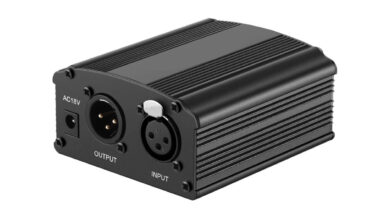
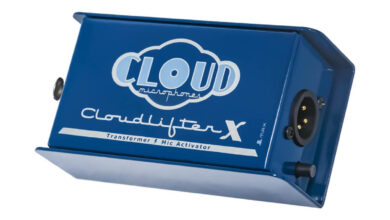
This is a safety point, not a tone point. Standard 48V phantom power, sent from an audio interface or mixer to power condenser mics, can damage a ribbon microphone or a dynamic mic that was not built to tolerate it, particularly if the mic is connected or disconnected while phantom power is already live. Royer Labs, a ribbon microphone manufacturer, states in its own published guidance on ribbon mics and phantom power, that the more common real-world damage path is a cross-patched or miswired connection carrying phantom power into a ribbon element unexpectedly, rather than phantom power itself being inherently unsafe for every ribbon design. Some newer active ribbon mics are built to require phantom power and are not at risk from it. The practical rule either way: check your specific microphone’s own manual before you enable 48V, and if you are unsure whether a mic on your desk is a ribbon design, treat it as one until you have confirmed otherwise.
Which Fix Stops Popping Sounds on a Mic Fastest
If you need a result in the next five minutes, a pop filter combined with a small step back from the capsule fixes most plosive problems on its own, with no settings to learn. If you cannot add a pop filter right now, angling the mic off-axis costs nothing and works immediately. The low-cut filter is the fix worth leaving on permanently for spoken voice, since it also cleans up handling noise and rumble that have nothing to do with plosives. Sibilance, if it is still a problem once popping is under control, is a mixing-stage fix rather than a mic-placement one. None of these are mutually exclusive, and most home setups end up running two or three of them at once rather than relying on a single trick.
One distinction worth keeping straight: everything above deals with pops going into the mic during recording. If the problem you are actually chasing is dialogue that comes out too quiet or unclear once it reaches a soundbar or TV, that is a separate playback-side issue covered in soundbar dialogue too quiet, not a microphone problem at all.
FAQ
Does a foam windscreen work as well as a pop filter?
For outdoor or field recording, a foam windscreen is usually the better choice because it also cuts wind noise a mesh pop filter does not address. Indoors at a desk, a pop filter is generally preferred because it does not sit directly against the capsule and colors the sound less.
Why do USB microphones pop more than XLR condensers in some setups?
It is usually not the connection type but the working distance. Many USB mics are marketed for close, casual use, which puts the mouth closer to the capsule than a typical XLR condenser setup and leaves less room for the air blast to lose force before impact.
Can plosives be fixed after recording, in post-production?
Partly. Dedicated plosive-removal tools and manual editing can reduce an existing pop, but they work by suppressing a burst of energy that already distorted the diaphragm, so the result is a smaller problem, not a perfect fix. Preventing the pop at the source gives a cleaner result than any repair afterward.
Does an omnidirectional mic eliminate popping?
It reduces it but does not eliminate it. Omni mics do not exhibit proximity effect the way directional mics do, and pops are less pronounced on them, but a strong enough air blast at close range can still overload any diaphragm regardless of pattern.
Is 48V phantom power safe to leave on for dynamic microphones?
Most modern dynamic microphones tolerate phantom power without damage, but not all of them are rated for it. Check the specific mic’s manual rather than assuming, and always confirm before connecting a ribbon microphone to a source with phantom power already enabled.