Short answer: amp protection mode is a deliberate shutdown. The amplifier or receiver has sensed something that could damage it or your speakers, most often a shorted speaker wire, a speaker load below the rated impedance, overheating from blocked ventilation, or volume pushed past what the load can take, and it has cut the output to stop that damage. It is a symptom, not a diagnosis. The fix is to find which of those conditions tripped it, in order, with the power off between every change. If it trips with nothing connected at all, the fault is inside the unit and belongs with a qualified technician.
What amp protection mode actually is
Every modern home amplifier and AV receiver has protection circuitry that watches for conditions that would overheat or overload the output stage. When it sees one, it mutes the outputs, drops to standby, or shuts off, and usually tells you so with a flashing light, a relay click, or a message such as “PROTECT” or “Check SP Wires.”
The important point is that protection mode is the amplifier doing its job. A unit that clicks off is a unit that has, so far, prevented damage. The mistake people make is treating the shutdown as the problem and trying to get around it, by power cycling over and over or turning the volume back up, instead of treating it as a message about the system.
Manufacturers describe the same short list of causes. Yamaha’s troubleshooting page for its RX-A3080 receiver lists the protection circuitry activating because of a short circuit, or because the volume is too high, along with an incorrect speaker impedance setting. Sony’s help guide entry on the PROTECT message for the STR-DH790 (read the same day) adds blocked ventilation holes, speakers below the rated impedance range, and a possible electrical surge or power failure.
Read the timing: when it shuts off tells you where to look
The single most useful clue is not the light. It is when the shutdown happens. The table below maps the common patterns to the likeliest cause. It is a starting point for the checks later in this article, not a verdict.
| When it trips | Most likely cause | First thing to check |
|---|---|---|
| Instantly at power on, every time | A shorted speaker wire or terminal | Stray strands touching between + and – at both ends |
| After a few seconds, with nothing playing | A short, or an internal fault | Disconnect all speakers and power on again |
| Only when the volume goes up or a loud scene hits | Load too demanding, impedance below rating, or volume too high | Speaker impedance versus the rating on the back panel |
| After a long session, especially in a cabinet | Overheating | Ventilation space and anything covering the vents |
| At random, with no pattern | Mains supply problems, a loose connection, or an internal fault | Connections first, then a technician |
| With every speaker and cable disconnected | Fault inside the unit | Stop and book service |
Rule out the lookalikes first
Not every shutdown is protection mode. Some receivers go to standby on purpose. Yamaha’s same troubleshooting page lists a sleep timer and an auto standby function that switches the unit off after a period without use. If your amplifier goes quiet after a long stretch of silence rather than at power on or at high volume, check the auto standby and sleep settings in the setup menu before you start pulling wires. On some units a mute function lights the same indicator as protection, so check the manual for what your specific light means.
The ordered checks for amp protection mode
Work through these in order. Each step either finds the cause or rules out a whole category. Turn the amplifier off and unplug it before you touch any speaker wire or terminal, every time, not only the first time. Yamaha’s manual names a unit being turned on while a speaker cable was shorted as a cause of an immediate power off, so connecting wires with the power on is one way to create the very fault you are trying to find.
Step 1: Look at every speaker wire end
Power off, then inspect both ends of every speaker cable, at the amplifier and at the speaker. You are looking for a single loose strand of copper from the positive wire touching the negative wire, the negative terminal, or the chassis. It takes only one.
Twist the bare end tightly, trim it so no copper shows beyond the terminal, and reconnect. Both Yamaha and Sony tell you to make sure the bare speaker wires are firmly twisted. Check the speaker end as carefully as the amplifier end; a stray strand at the speaker is easy to miss because you are looking at the back of the amp.
Step 2: Disconnect everything and power on
With the amplifier off, disconnect all speakers and the subwoofer, then power on with nothing attached.
- It stays on: the amplifier itself is probably fine. The cause is in a speaker, a cable, or the load. Go to step 3.
- It still goes into protection: the fault is inside the amplifier, or in the mains supply to it. Unplug it and go to the section on when to stop.
This single test does more work than any other. It splits “my system” from “my amplifier” in one move.
Step 3: Add speakers back one at a time
Connect one speaker, the front left, for example, power on, and play something at a normal level. Sony’s help guide describes this exact procedure: connect the front speaker first, run the receiver for at least 30 minutes until it is completely warm, then connect each additional speaker one by one until you find the one that causes the protection error.
When the fault comes back, you have found the channel. Swap in a different cable on that channel to separate a bad cable from a bad speaker. If the fault follows the speaker to a different channel, the problem is the speaker or its load.
Step 4: Check the impedance against the rating
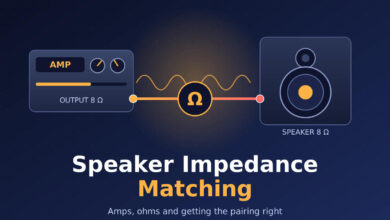
Look at the back panel of the amplifier for its rated speaker impedance range, and at the speaker’s own label or manual for its nominal impedance. Sony’s help guide lists speakers below the rated impedance range as a cause of the PROTECT message, and tells you to connect speakers whose impedance falls within that range. Yamaha lists an incorrect speaker impedance setting, so if your receiver has one in its setup menu, confirm it matches your speakers.
Impedance also changes with how you wire things. Two speakers wired in parallel on one channel present a lower load than either speaker alone, which is a common way to fall under the rating without realizing it. If you have added a second pair of speakers, a second set of terminals, or a speaker selector, treat that as the prime suspect.
Step 5: Give it air
Sony names covered or blocked ventilation holes as a cause of PROTECT, and its fix is simply to remove whatever is covering them. Amplifiers turn part of their power into heat, and a closed cabinet, a shelf just above the top vents, or a stack of other equipment can trap it. If the shutdowns come after a long session rather than at power on, open the cabinet door or move the unit to an open shelf and see whether the pattern changes. Check the manual for your model’s clearance figures rather than guessing a number.
Step 6: Bring the volume and settings back to neutral
Yamaha lists volume that is too high as a protection trigger, and its suggested remedy is to turn the volume down. If the shutdowns happen only on loud passages, do that, set any bass boost or loudness setting back to flat, and check whether a room correction run has raised individual speaker levels a long way. If a normal listening level still trips it, go back to step 4, because the load is a more likely cause than your listening habits.
Step 7: Let it rest after a surge
If the shutdown followed a storm, a power cut, or a flicker in the lights, Sony’s help guide says to unplug the power cord and plug it back in after 30 minutes. That gives the unit a full reset that a quick press of the power button does not.
When to stop: this is where the amplifier goes to a technician
This article stops at the speaker terminals. Do not open the amplifier chassis. It is a mains-powered device, and the parts that fail inside it are not user serviceable. Unplug the unit, leave it unplugged, and take it to a qualified audio repair technician or the manufacturer’s service network if any of these are true:
- It goes into protection with every speaker, subwoofer, and input cable disconnected.
- You smell burning or hot electronics, see smoke, or see scorch marks on the terminals.
- It trips again immediately after a 30 minute rest with nothing connected.
- A fuse has blown, or blows again after replacement with the correct rated part.
- There is visible damage to the speaker terminals themselves, such as bent posts touching each other.
Do not keep power cycling a unit that trips with nothing attached, hoping it will clear. Each attempt runs a faulty output stage again. Sony’s help guide ends its checklist the same way: if the problem persists after the checks, consult your dealer.
What protection mode cannot tell you
Protection circuitry is a last line of defense, not a guarantee. It trips on the conditions it is designed to sense, and those differ between models. A unit that never enters protection mode is not proof that a load is safe for it long term; an amplifier running hot on a demanding load near its limit may never trip and still be working harder than it should. And a unit that trips once, on a genuine short, may have come through fine. The honest answer is that you cannot judge internal health from the outside. What you can do is remove the conditions that cause trips, and let a technician judge the rest.
It also cannot tell you which speaker is at fault. That is why the one at a time test in step 3 matters more than any reading of the indicator light.
Home amplifiers versus car amplifiers
Much of what ranks for this topic is written about car audio, where the leading causes are different: a weak ground, low battery voltage, and mounting the amplifier against bare metal. Those problems belong to a 12 volt system bolted into a vehicle. A home amplifier or receiver plugged into a wall outlet shares the speaker side causes (shorts, low impedance, heat) but not the ground and voltage causes in the same form. If you are troubleshooting a car amplifier, follow its manufacturer’s installation manual for grounding and power wiring.
Preventing it next time
Most protection trips in home systems are preventable at setup:
- Match speaker impedance to the amplifier’s rated range before you connect anything, and recheck it whenever you add speakers. If you are still choosing between a receiver and a simpler setup, our guide to a soundbar versus an AV receiver covers what each asks of your speakers.
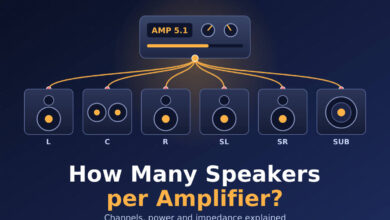
- Plan the speaker count to the channels you actually have. The article on 5.1 vs 7.1 vs Atmos room requirements helps you avoid adding speakers the amplifier was never meant to drive.
- Keep every bare wire end tight and trimmed, or use banana plugs or pin connectors if your terminals accept them.
- Give the amplifier open air, not a closed shelf.
- Keep bass boost modest. If you want more low end, placing the subwoofer well in a small room usually does more than pushing the main amplifier harder.
FAQ
Is amp protection mode bad for my amplifier?
Protection mode itself is the amplifier preventing damage, so a single trip on a fixable cause, such as a stray wire strand, is usually not a problem. Repeated trips with nothing connected point to an internal fault that needs a technician.
Why does my amp go into protection mode only at high volume?
Yamaha lists volume that is too high as a protection trigger, and Sony lists speakers below the rated impedance range as a cause. A low impedance load demands the most from the amplifier on loud passages, so check the speaker impedance against the amplifier’s rating before assuming the volume alone is to blame.
Can one bad speaker cause protection mode?
Yes. A shorted cable, a damaged speaker, or a speaker below the rated impedance on one channel is enough. Connecting speakers back one at a time, as Sony’s help guide describes, finds the one responsible.
How do I reset an amp in protection mode?
Turn it off, unplug it, and fix the cause first. Sony’s help guide says to plug the power cord back in after 30 minutes when a surge or power failure may be involved. Resetting without fixing the cause just trips it again.
Should I open the amplifier to find the fault?
No. If it trips with every speaker disconnected, the fault is inside a mains-powered unit. Keep it unplugged and take it to a qualified audio repair technician or the manufacturer’s service center.