

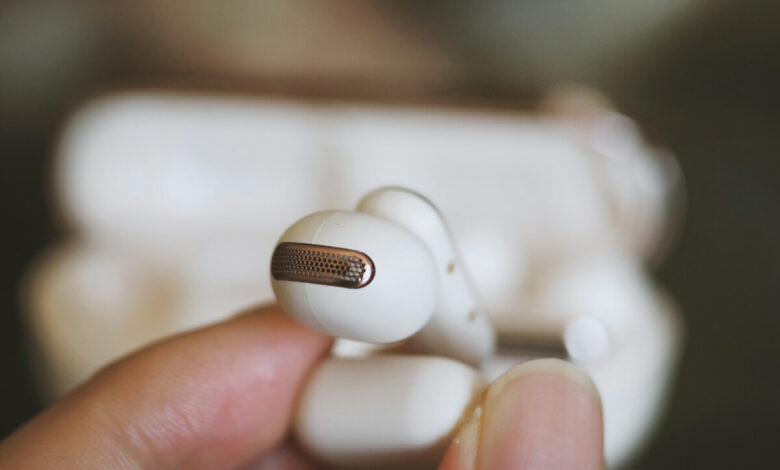
When one earbud goes completely silent while the other side plays normally, the fix that works most often is to reset both earbuds in their case and re-pair them to your phone. This clears the most common cause: the two buds have fallen out of sync and only one is actually connected as a stereo pair. Before you reset anything, though, spend ten seconds checking your phone's audio balance slider. If that slider has been nudged all the way to one side, one earbud will sound dead even though the hardware is perfectly fine. Below is the exact order to work through, from the fastest checks to the point where a replacement is the smarter move.
First, figure out which problem you actually have
Total silence in one earbud is a different problem from static, popping, or crackling. If your earbud is making noise but the sound is broken up or distorted, that is usually a signal or interference issue, and this is not the guide for it. Read why one earbud crackles on one side instead.
This guide is for the case where one side produces no sound at all: you take both buds out, one plays your music and the other gives you nothing. That pattern points to a short list of causes, and you can rule them out one at a time in about five minutes.
The likely causes, from most common to least
Working through them in this order saves you from opening a warranty claim for something that a slider fixed.
| Cause | What it looks like | How likely |
|---|---|---|
| Audio balance shifted to one side | Silent in one ear on every app, even wired backups | Very common, often overlooked |
| Buds out of sync / only one paired | One bud never "joins," case shows one still charging | Very common |
| Dirty charging contacts | The silent bud never charged fully in the case | Common |
| Unequal charge between buds | Silent bud dies early, plays again after a full charge | Common |
| Blocked speaker mesh | Muffled fading to silent in one ear over weeks | Moderate |
| Bluetooth desync with the phone | Both buds charged, still only one connects | Moderate |
| Hardware fault | Nothing above works; second device confirms it | Least common, but final |
The fix, in the order that solves it fastest
1. Check the audio balance slider first
This is the step almost every other guide buries at the bottom, and it is the one that quietly explains a shocking number of "dead earbud" cases. Every major phone and computer has an audio balance control built into its accessibility settings, meant to help people with hearing differences shift sound toward one ear. It is easy to move by accident, and once it is set fully to one side, that earbud goes silent on everything you play.
Check it here:
- iPhone or iPad: Settings, then Accessibility, then Audio & Visual. Find the Balance slider and make sure it sits dead center.
- Android: Settings, then Accessibility, then Audio (or "Audio adjustment"). Center the left/right balance.
- Windows: Settings, then System, then Sound, open your output device's properties, and confirm both channels sit at the same level.
If the slider was off-center, center it and your problem is already solved, with no reset needed. If it was already centered, move on.
2. Clean the charging contacts and the case
A silent earbud is often just an earbud that never charged. The metal pins inside the case and the matching contacts on each bud pick up earwax, lint, and skin oil. When the silent bud's contacts are dirty, it sits in the case looking seated but never actually charges, so it has nothing to play with.
Wipe the contacts on the bud and the pins inside the case with a dry cotton swab or a soft, dry microfiber cloth. For stubborn buildup, lightly dampen the swab with a small amount of isopropyl alcohol and let everything dry fully before you put the bud back. Do not clean the speaker mesh with anything wet: for that, use a dry soft-bristled brush only.
3. Seat both buds and let them charge
Put both earbuds back in the case, close the lid, and give them a real charge, ideally 20 to 30 minutes, even if the app claims they are already full. This clears a simple charge imbalance where the silent bud had drained faster than its partner. Watch the case indicator: if one bud lights up and the other never does, you are back to a contacts problem or the bud is faulty.
4. Reset both buds and re-pair them
If the balance was centered and both buds charge fine, a reset is the fix. Resetting wipes the buds' memory of your phone and forces them to re-establish the stereo pairing from scratch, which fixes the out-of-sync state where only one bud connects.
Reset steps vary by brand, so use the row that matches yours:
| Brand | How to reset |
|---|---|
| AirPods / AirPods Pro | Put both in the case, close the lid, wait 30 seconds. On your phone go to Bluetooth, tap the info button next to your AirPods, and choose Forget This Device. Open the case lid and hold the setup button on the back for about 15 seconds until the light flashes amber, then white. |
| Samsung Galaxy Buds | Open the Galaxy Wearable app, tap Earbud settings, then Reset, then Reset again to confirm. No app handy? Put both buds in the case, close it for at least seven seconds, then reopen to restart them. |
| Generic TWS earbuds | "Forget" the buds in your phone's Bluetooth list, place both in the case, then follow the maker's reset gesture (commonly holding both touch pads for 10 to 15 seconds until the lights flash). Steps differ by model, so check the box or manual. |
After the reset, pair the buds again as if they were brand new. If you use AirPods and want the exact pairing flow, here is how to connect AirPods Pro step by step.
5. Test on a second device to find out where the fault is
This single step tells you more than all the resets combined, and most guides skip it. Pair the earbuds with a completely different phone, tablet, or laptop and play something.
- Both buds now work? The earbuds are fine. The fault was on your original phone: its balance setting, a stuck Bluetooth pairing, or a software glitch. Go back and "forget" the buds on that first device, restart it, and pair fresh.
- The same earbud is still silent? The problem is the bud itself, not your phone. That confirms a hardware fault, and no amount of re-pairing will bring it back.
Testing on a second device is the difference between an hour of pointless troubleshooting and a two-minute answer. Do it before you decide the earbud is dead.
When to stop troubleshooting
If the second-device test shows the same bud is silent everywhere, you have a hardware fault, and the honest question is whether it is worth chasing further. There is no shame in stopping here. A rough way to decide:
- The bud died suddenly, with no warning, on a fairly new set: worth a warranty claim. A bud that was perfectly fine yesterday and silent today points to a defect rather than wear. Check whether your purchase is still inside the manufacturer's coverage window (terms vary by brand, so read yours rather than trusting a general figure).
- The bud was already fading for weeks, or the set is a couple of years old: troubleshooting time is better spent shopping. Aging batteries and worn speaker mesh do not come back, and a single-bud replacement (many brands sell one side separately) or a new set is the faster path.
If you land on a replacement and want something that stays comfortable and quiet, what to check in noise-cancelling earbuds for side sleepers is a good next read. And if the earbud plays but the noise canceling has stopped working, that is a separate fix: see why your noise canceling is not working.
Related reading
A silent side is one of several one-sided earbud faults, and the fix order changes depending on which one you have. If the bud is playing but quieter, crackling, or refusing to charge instead, the headphone and earbud problem map sends each symptom to its own guide.
Frequently asked questions
Why is one earbud silent when both are charged?
The most common reason is that the two buds have fallen out of sync and only one is actually paired to your phone as a stereo pair. Reset both buds in the case and re-pair them. If that does not help, check that your phone's audio balance slider is centered, since a slider pushed to one side silences an earbud even on a full charge.
Can the audio balance setting really make one earbud go silent?
Yes. Every major phone and computer has an accessibility balance control that shifts sound left or right. If it gets nudged fully to one side, that earbud produces no sound on any app, even though the hardware is working. It is one of the easiest causes to fix and one of the most overlooked, so check it first.
How do I know if the earbud is broken or if it is my phone?
Pair the earbuds with a different phone, tablet, or laptop. If both buds work on the second device, your original phone was the problem (its settings or a stuck Bluetooth pairing). If the same bud stays silent on every device, the earbud itself has a hardware fault.
Does cleaning the charging contacts actually help?
Often, yes. Earwax and lint on the bud's contacts or the case pins stop the silent bud from charging, so it has nothing to play. Wipe both with a dry swab or a swab lightly dampened with isopropyl alcohol, let it dry fully, then recharge.
Should I replace one earbud or the whole set?
If the set is fairly new and the bud died suddenly, a warranty claim or single-bud replacement makes sense (many brands sell one side separately). If the set is a couple of years old or the bud was already fading, replacing the pair is usually the better use of your time and money.


